Skip to content
Microsoft 365 integrated
GDPR & ISO 27001 compliant
Instantly ready to use
230,000+ users
Microsoft 365 integrated
GDPR & ISO 27001 compliant
Instantly ready to use
230,000+ users

Templates for absence notes to copy

December 31, 2024
3 minutes reading time
Templates for absence notes to copy

You can copy our out-of-office message templates for free here:

#1 All-rounder, you can't go wrong with it

Thank you for your message.

I will be out of the office from [Date] to [Date] and am currently unable to respond to your email.

For urgent matters, please contact [Name] at [Email Address] or by phone at [Phone Number].

I will be available again from [Date].

Brief absence note without information

Thank you for your message.

I am currently not available.

For urgent matters, please contact [e-mail address].

Your message will not be forwarded.

Out-of-office messages during your vacation

Professional / external

Thank you for your message.

I will be on vacation from [Date] to [Date] and will not be able to respond to your email during this time.

For urgent matters, please contact my colleague [Name] at [E-Mail Address] or by phone at [Phone Number].

I will get back to you after my return on [Date].

Storage / internal

Hello,

I will be on vacation from [Date] to [Date] enjoying some time off.

If anything important comes up, please contact [Name] at [E-Mail Address] or [Phone Number].

I will be back on [Date].

Out of office messages during an illness

Professional / external

Thank you for your message.

I am currently out of the office due to illness and therefore unable to process your email.

For urgent matters, please contact [Name] at [Email Address] or by phone at [Phone Number].

I will get back to you as soon as I am available.

Storage / internal

Hello,

I am currently ill and therefore unable to respond to your email.

For anything urgent, [Name] is your contact: [E-Mail Address], [Phone Number].

I will get back to you as soon as I am well again.

Out of office messages during a training course

Professional / external

Thank you for your message.

I am on a professional training from [Date] to [Date] and am currently not available.

For urgent matters, please contact [Name] at [E-Mail-Address] or by phone at [Phone Number].

I will be back to assist you as usual from [Date].

Storage / internal

Hello everyone,

I will be on a training course until [Date] and therefore unreachable.

If there's anything important, [Name] will be available for you: [E-Mail Address], [Phone Number].

As soon as I am back, I will get in touch.

Out-of-office messages during project work

Professional / external

Thank you for your message. I am currently involved in an important project and will reply to emails again from [Date]. For urgent questions, please contact [Name] at [E-Mail-Address] or [Phone Number]. I will be available for you as usual from [Date].

Storage / internal

Hey team, I am currently deep in a project and therefore hard to reach. If it is urgent, please contact [Name]: [E-Mail Address], [Phone Number]. I will be back from [Date].

4.4/5
4.5/5
4.9/5

Vacation and absence planning made easy

Start for free now

Tips for the out-of-office message

  • **Clarity on the duration of absence: **Specify the exact period during which you will be unreachable.

  • Designate a representative: Provide the contact details of a person who can assist during your absence.

  • Unnecessary information: Omit personal details or information that is not relevant, for example, if the exact reason for your absence is not important to the reader.

  • Spelling error: Double-check the note before saving to avoid mistakes.

  • Link to the calendar: Schedule time away directly in Outlook so colleagues can see the status in the shared calendar as well.

**Additional tip: **Outlook does not offer a function for types of absence, not even for internal use. If you want to communicate more clearly within your team why certain colleagues are not present, absentify can help you.

Record in absentia all relevant reasons for absences in your team. This way, everyone is better informed and you prevent misunderstandings.

Image

All types of absences directly in Microsoft Outlook with absentify

Start for free now

No credit card required—enjoy unlimited access with our free plan. You can upgrade or cancel anytime.

Start for free now

Would you like to simplify your absence management?

  • No credit card required
  • Unlimited free access
  • Upgrade or cancel anytime
Start for free now
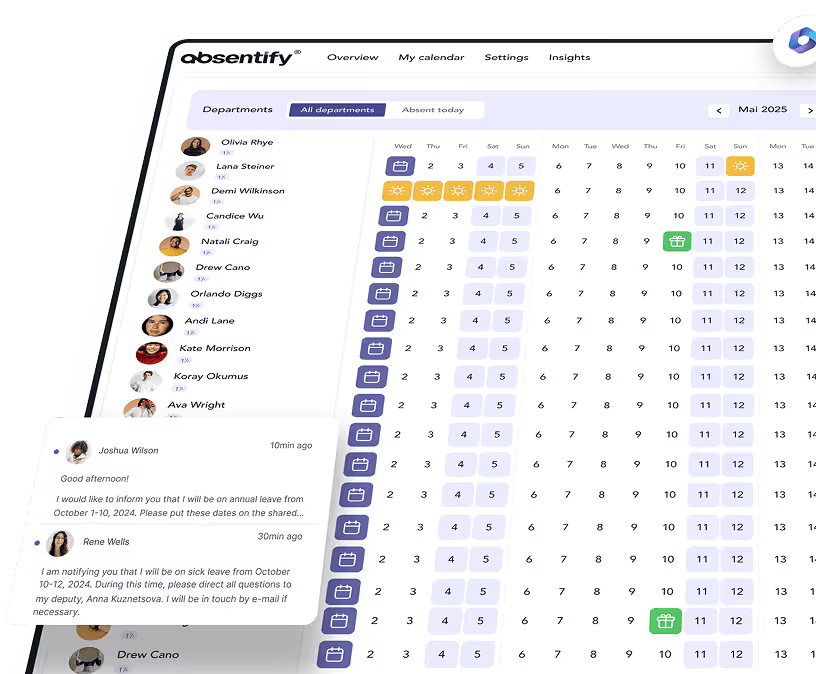
absentify dashboard

Out of Office Message Template – Frequently Asked Questions and Answers

An out-of-office message should include the following information: period of absence (start and end date), a designated contact for urgent matters with contact details, and a friendly and professional wording, depending on the audience.

Yes, in Outlook you can set up different messages for internal and external contacts. This way, you can make internal details (such as delegation arrangements) visible to colleagues only and send a general message to external contacts.

Pay attention to the correct time period, verify the contact details of the representation and tailor the message to the audience (e.g., do not send internal details to external contacts).

“Thank you for your message. I will be unavailable until [Date] and will process your email as soon as possible thereafter. Thank you for your understanding.

About the author

Anna Keller

Anna Keller

Content manager at absentify

As a blog author at absentify, Anna Keller explains how companies can efficiently manage absences, vacations, and working hours. In her articles, she combines HR practice with Microsoft 365 tips for Outlook and Teams and provides templates, step-by-step instructions, and software comparisons for modern, digital processes.

Share article

More interesting articles

Reducing overtime: rights, duties and the process for employers and teams
Working time09/24/2026

Reducing overtime: rights, duties and the process for employers and teams

Reducing overtime means offsetting accumulated extra hours with time off or payment. Under German employment law, the six calendar months or 24 weeks specified in the German Working Time Act apply solely to offsetting an extended working day against the statutory eight-hour average. Employment contracts, works agreements or collective agreements determine how an overtime balance can be reduced. Where these rules permit time off in lieu, the employer determines its timing and process within the scope of their right to give instructions.

Anna Keller

Anna Keller

Content manager at absentify
When does unused leave expire? Deadlines and exceptions that determine your entitlement
Absence planning09/17/2026

When does unused leave expire? Deadlines and exceptions that determine your entitlement

Under German law, unused leave expires only under certain conditions: entitlement generally lapses on 31 December, or after the carryover period on 31 March, only if your employer has given you timely and specific notice of the impending expiry and you still do not take the leave. An exception applies in cases of continuous illness.

Anna Keller

Anna Keller

Content manager at absentify
Employee Self Service (ESS): Definition, Features, and Benefits for Leave and Absence Management
Absence planning09/10/2026

Employee Self Service (ESS): Definition, Features, and Benefits for Leave and Absence Management

Employee Self Service (ESS) gives employees access to manage their personal data, leave requests, or absences themselves without coordinating every step with HR. The term originally comes from SAP HR modules and has become an umbrella term for self-service features in human resources. Its benefits are particularly clear in leave and absence management.

Anna Keller

Anna Keller

Content manager at absentify

© 2026 absentify® - absentify GmbH, All rights reserved.