

The absence solution that is at home in Microsoft 365
absentify is the native absence management for Microsoft 365 Teams. Vacation, illness, remote work, and more are centrally requested, approved, and automatically synchronized with Teams, Outlook, and Entra ID.
Unlimited users
Used by 30,000+ companies worldwide

















Why teams fail today (and why nobody wants it anymore)
Absences are still too often managed using Excel lists, email ping-pong, or tools "outside" of Microsoft 365. This may sound harmless, but it costs time, nerves, and money every month:
Uncertainty within the team
Who is away and when? Who is available?
Manual errors
Part-time, holidays, carry-over, shifts → all done manually.
Duplicate work
Calendars, team statuses, and out-of-office messages must be maintained separately.
Admin-Overhead
Onboarding, department changes, approval processes — constant rework.
Microsoft 365 native instead of "just another tool"
absentify lives where your people work:

Who sees what? - Roles, privacy & sensitive data
Data protection is determined in everyday life not by policies, but by visibility. absentify addresses this very question:

Never forget to set the out-of-office message again
Absences do not need to be maintained twice. absentify keeps everything consistent - without manual steps.

Quotas always correct, no matter how complex
absentify calculates quotas in real-time - even with complicated rules.
Who absentify is made for
Here you will find concise answers to frequently asked questions about usage, security, and features.
Employees
Absences can be requested in seconds and are immediately visible everywhere.
Quotas and calendars are automatically kept up to date.
Team leads & Managers
Absences within the team are clearly visible at all times.
Approvals occur directly in Teams or Outlook, without additional effort.
HR
Rules are defined once and implemented correctly on a permanent basis.
Quotas, audits, and data protection can be clearly traced at any time.
Microsoft 365 Admins
absentify is rolled out centrally and integrated cleanly into Microsoft 365.
Certifications and data protection requirements are met from the start.
Certified by Microsoft - ready for immediate approval
absentify is a Microsoft 365 Certified App. Microsoft has independently reviewed our app - including security, privacy, and compliance.
ISO 27001 certified - security at enterprise level
This demonstrates an established, verified information security management system (ISMS).
GDPR-compliant - data protection that works in everyday life
absentify is designed so that data protection does not come as an extra but runs automatically.

Answers to the most important questions
Here you can find concise answers to common questions about usage, security and functions.
Yes, our Free Plan is completely free to use - no hidden fees or expiration. It's ideal for small teams or as a starting point. As your needs grow, you can upgrade to a paid plan at any time with additional features.
absentify integrates seamlessly with your existing calendar tools. We currently support:
- Outlook Calendars
- Outlook Shared Calendars
- Microsoft Teams Group Calendars
- Any calendar that accepts iCal links
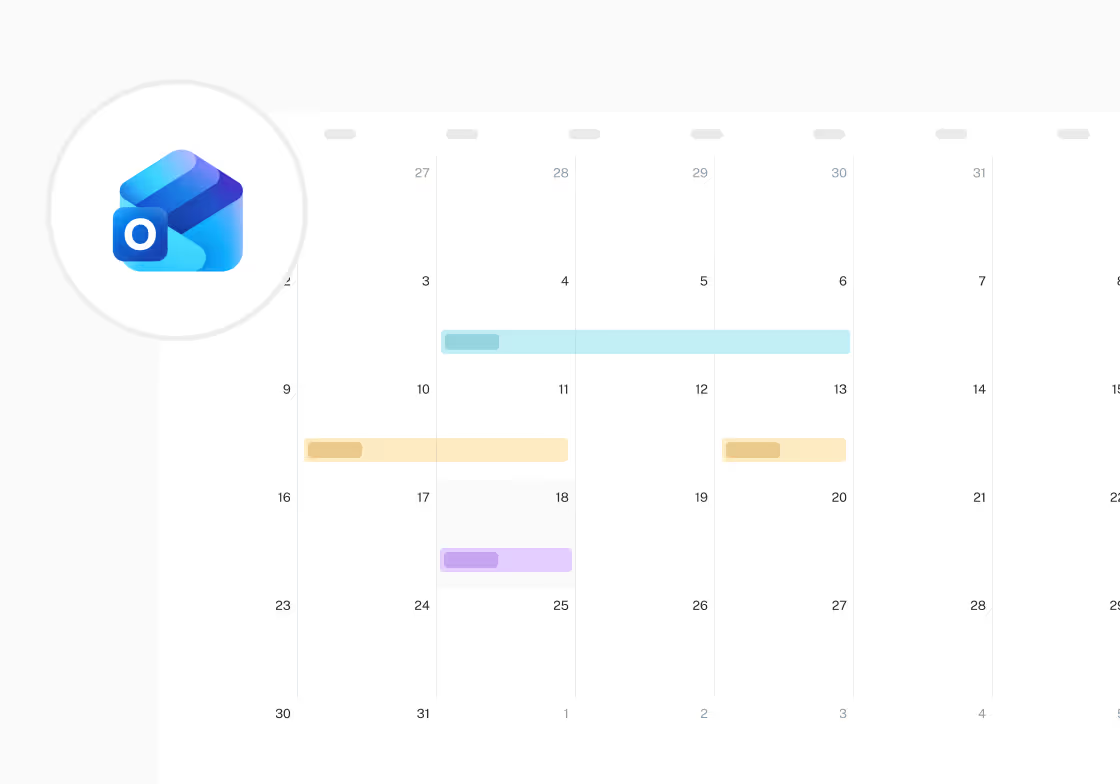
Your absences are automatically synced and always up to date in your calendar - with no manual effort required.
Yes, absentify automatically includes public holidays - worldwide. We consider both national and regional differences. These holidays appear directly in your absentify calendar and are also visible in Outlook when synced.
Absolutely! You can create custom absence types like vacation, sick leave, home office, etc., and define specific colors, quotas, and rules for each. You can also set up multi-level approval processes based on department or leave type - tailored exactly to your internal workflows.
With absentify, you can replicate your team and department structure exactly. Create roles, departments, teams, and workflows as needed. You can also connect Microsoft Entra ID or Microsoft Teams groups - so new employees are automatically added, assigned, or removed without manual effort.
Your personal profile shows a complete overview of your taken and remaining leave - whether by full days, half days, or even minutes (e.g., 15-minute steps). Admins can access real-time reports to support team planning and resource visibility.
You can create a dedicated absence type for home office and apply your own rules, such as approval requirements or visibility settings. This makes remote work just as manageable as traditional leave - all in one place.
Yes, you can assign a substitute for any absence. This person will automatically receive a notification and can take over relevant tasks during the absence. This ensures your team stays informed and nothing falls through the cracks.
Approvers receive automatic email notifications when a new request is submitted. Employees are also informed when their request is approved or declined. In addition, Microsoft Teams notifications are sent - including direct approval or rejection options within Teams.
Yes, you can upload your logo, adjust the color scheme to match your corporate design, and even customize the name and icon of the absentify app in Microsoft Teams or Outlook - ensuring a consistent and professional appearance.
Yes! With absentify, your Outlook out-of-office replies are set automatically when a leave starts - and removed again once it ends. You can define custom templates per leave type, including placeholders like:
- Return date
- Name & email of the substitute
- Personalized messages for each type
These templates are auto-filled - no need to write messages manually. Companies can also create company-wide templates, ensuring a consistent and professional out-of-office message for all employees.
Yes, absentify is available in multiple languages. Every user can select their preferred language in their personal profile - making it perfect for international teams.
Currently supported languages:
🇬🇧 English, 🇩🇪 German, 🇫🇷 French, 🇮🇹 Italian, 🇪🇸 Spanish, 🇭🇺 Hungarian, 🇵🇱 Polish, 🇺🇦 Ukrainian, 🇹🇷 Turkish, 🇷🇺 Russian, 🇵🇹 Portuguese
Data security is a top priority for us. absentify is:
- ISO 27001 certified
- GDPR-compliant
- Microsoft 365 app certified
Your data is encrypted, stored securely in EU data centers, and backed up regularly - with full compliance and peace of mind.
absentify offers many advantages over traditional Excel sheets:
- Automated workflows: Leave requests, approvals, and backups run digitally - no more manual tracking or email loops.
- Clear roles & permissions: You control exactly who sees what - no risk of exposed files.
- Centralized data: One system, always up to date - no duplicates, no confusion.
- Microsoft 365 integration: Use directly in Outlook and Teams - no separate tools needed.
- No double user management: Entra ID integration keeps user data synced automatically.
- Real-time reports & dashboards: Leave balances, absences, and trends - always available.
- Certified security: GDPR-compliant, ISO-certified, and Microsoft-verified.
- Multi-language support: Ideal for diverse, global teams.
- No more Excel chaos: No version conflicts, lost files, or manual errors.

Do you still have unanswered questions or do you have special requirements?
Your vacation and absence planning, fully integrated with Microsoft 365


100% Microsoft 365 integrated
directly in Teams, Outlook & Entra ID
GDPR & ISO 27001 certified
certified safety
Rollout in hours, not weeks
without IT implementation
230,000+ active users worldwide
for HR, IT, management and more