

Vacation Cover: Employment Law, Obligations and Legally Sound Planning

The UK Working Time Regulations 1998 and the EU Working Time Directive set out the right to paid annual leave, but say nothing about who covers the work while an employee is away. In practice, that means unclear responsibilities, overstretched colleagues and missing documentation. The duty to organise vacation cover sits with the employer. What many companies still struggle with is how to map that out in a structured, legally sound way.

Vacation Cover: The Essentials at a Glance
- The duty to organise vacation cover sits with the employer, not with the employee taking leave.
- Without an explicit clause in the contract, there is no automatic duty for an employee to take on every vacation cover assignment. A reasonable instruction under the employer's right to give directions does, however, remain possible.
- A robust vacation cover arrangement should be defined before the leave is approved, documented in writing and contain clear rules on the scope of duties, escalation route and reachability.
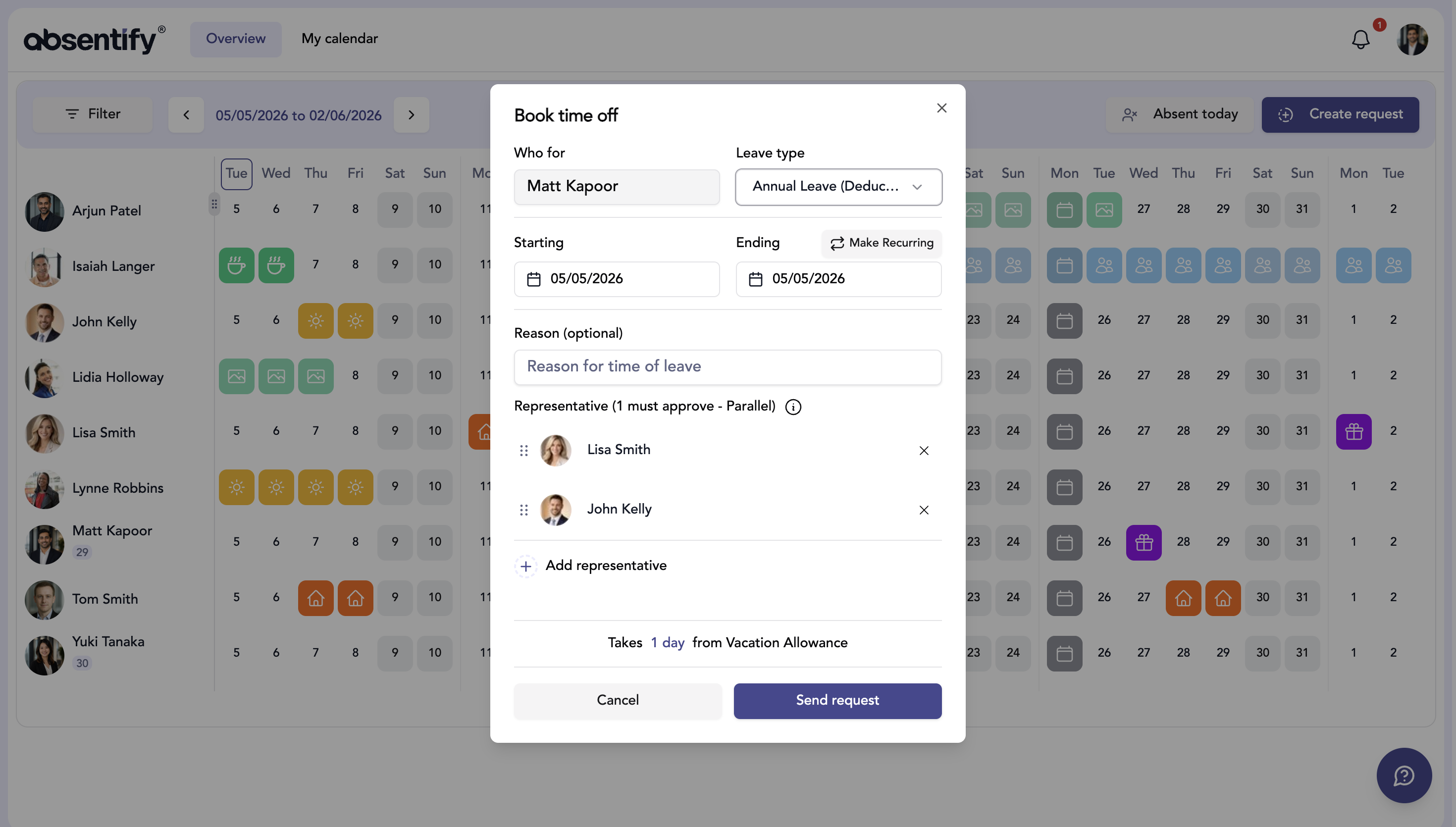
- absentify maps the entire cover process directly inside Microsoft Teams: from request and approval through to the automatic notification of the substitute.
Who Has to Organise Vacation Cover?
The employer's duty to organise cover does not appear explicitly in working-time legislation such as the UK Working Time Regulations 1998 or the EU Working Time Directive 2003/88/EC. It derives instead from general implied terms in the employment contract and the employer's overall organisational responsibility. In a dispute, both general employment-law duties and the rules on annual leave can come into play.
For the employee taking leave, the picture is more clearly defined. They are not required to organise the cover themselves, but they do owe a proper handover where this is necessary for the business. Who is assigned as the substitute is, in principle, a matter for the employer's decision and responsibility.
Can an Employee Refuse to Act as Vacation Cover?
Not without limits. If the contract of employment, collective agreement or works agreement contains no explicit cover clause, that does not automatically translate into a blanket duty to take on every cover assignment.
The employer can rely on its right to give reasonable instructions to assign cover. That instruction has its limits, though. The additional workload must be reasonable, the substitute must be suitably qualified, and the statutory working-time limits — for example under the UK Working Time Regulations — still apply. If an employee considers an instruction unreasonable or unfair, refusing it is not legally excluded. In an individual case, however, that can carry risks if the lawfulness of the instruction is later assessed differently.
Employment tribunals have repeatedly stressed that the line of what is reasonable has to be drawn against the circumstances of the individual case — particularly qualifications, workload and the duration of the cover.
What Statutory Rules Apply to Vacation Cover?
Working-time and annual-leave legislation deals exclusively with the right to paid leave and how it is granted. It contains no obligation to take on cover. The practically relevant rules come from other sources of law:
| Source of law | Content | Binding force |
|---|---|---|
| Working-time / annual-leave legislation (e.g. WTR 1998, EU Directive 2003/88/EC) | Governs the right to paid annual leave and how it is granted; contains no duty to take on cover. | Applies to all employment relationships |
| Employer's right to give reasonable instructions | An instruction to provide cover is in principle permitted, provided it is reasonable. | Binding within the employment relationship |
| Collective agreement / works agreement | May lay down specific cover duties or pay rules for additional hours. | Takes precedence over individual contractual rules |
| Contract of employment | An individual cover clause may be agreed and is binding. | Depends on the individual case |

Planning Vacation Cover Properly: Structure That Works in Practice
The most common mistake is poor timing. Cover is often only sorted out after the leave has already been approved, when ideally it should be part of the approval process itself.
A leave request template with cover as a mandatory field eliminates later confusion at the source. If cover is missing, the legal basis for granting the leave is not automatically affected — but a key organisational basis for orderly absence planning is. It sounds simple, but in many organisations it is not consistently put into practice.
Beyond timing, cover needs a clear definition of duties. Without one, you end up with capability gaps, work being done twice or, in the worst case, work not being done at all.
Vacation Cover Template: What a Legally Sound Template Has to Contain
A template only works if it is concrete. Abstract wording such as "takes on all duties that arise" does not create any clarity. A robust template should contain the following fields:
| Mandatory field | Description | Example |
|---|---|---|
| Cover period | From/to with specific dates | 1 Aug 2026 – 15 Aug 2026 |
| Scope of duties | Which tasks are taken on and which explicitly are not | Customer comms for project X, no contract signing |
| Escalation route | Who the substitute turns to for decisions outside their remit | Team lead Max Müller, reachable via Teams |
| Reachability | To what extent the absent employee can be reached | Only for genuine emergencies via email |
| Handover documentation | Active projects, open tasks, relevant deadlines | Project list in the Teams channel "Active projects" |
Out-of-Office Reply and Handover: What Substitutes Really Need
A handover is not a wishlist exercise. It has to contain everything the substitute needs to be operational:
- Active projects with current status and next steps.
- Open communication threads, especially with external contacts.
- Deadlines that fall during the absence.
- Access rights or tools required to take over the tasks.
- A clear statement of what the substitute may decide and what they may not.
An out-of-office reply in Outlook is a sensible practical step. It can automatically tell external contacts who to turn to during the absence. A standardised out-of-office template helps to make sure this step is not forgotten.
Planning and Documenting Vacation Cover in Microsoft Teams
For many organisations, Microsoft Teams is the central communication platform, which makes it the natural home for cover planning. Teams on its own quickly hits its limits, however. The presence and out-of-office status can show that someone is away, but it does not replace full cover planning with conflict checks, minimum-staffing controls and automatic notification of the substitute through a specialised tool.
How absentify Automates Cover Planning in MS Teams
absentify integrates directly with the existing Microsoft 365 infrastructure. Absence planning happens within the Teams context, with no separate platform and no media break. In detail, that means the following.
What this looks like in practice:
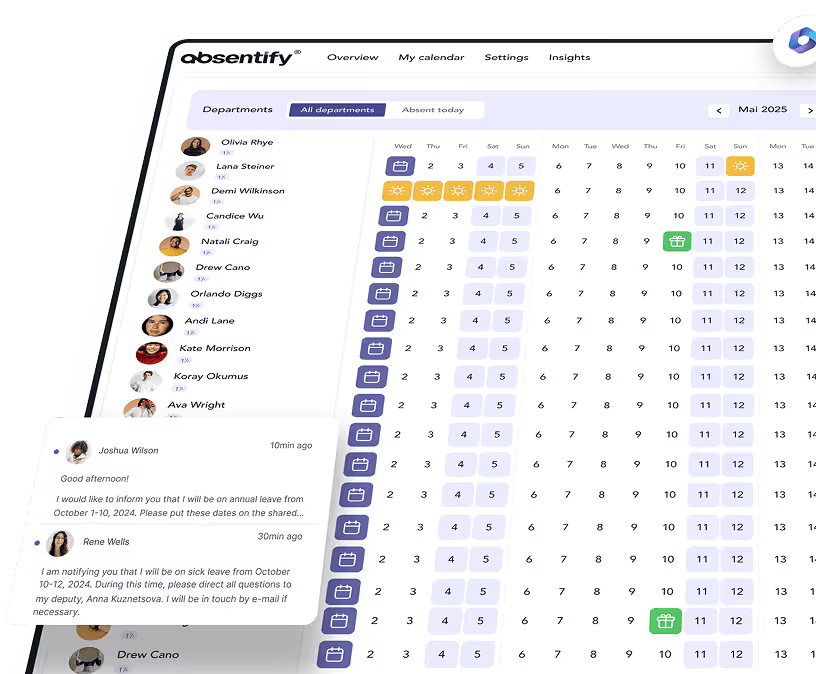
- Real-time calendar in Teams: All absences come together in the team calendar. Managers can see at a glance who is away at the same time.
- Minimum staffing per department: absentify warns automatically if a leave request would push staffing below the defined floor.
- Cover in the request: Employees enter their substitute directly when submitting the request. That information is visible to every approver.
- Automatic notification: Once leave is approved, the named substitute receives a notification automatically.
- Audit trail: Every step from request to approval is documented and traceable at any time.
Leave Blackouts and Company Vacation as a Planning Tool
Where cover cannot be ensured structurally because too many employees are away at the same time during peak holiday periods or intense project phases, leave blackout periods and company vacation are legitimate alternatives. Both can be configured directly in absentify, so blocked periods are taken into account in vacation planning and requests are checked accordingly.

Plan vacation cover in absentify — directly in Microsoft Teams
Add substitutes, approve absences and notify the team automatically. No separate platform, no manual effort.
Vacation Cover and Workload: What Employers Need to Watch
Additional hours worked by the substitute are not automatically unpaid. If covering for a colleague generates work beyond the regular weekly hours, any entitlement to compensation depends first on the contract of employment, the collective agreement or the works agreement. Where there is no explicit rule, a claim may, in some cases, also be based on general statutory principles.
On top of that, the limits of working-time legislation continue to apply. A cover instruction must not result in employees working more than the maximum permitted hours per day or breaching minimum daily and weekly rest periods. Breaches can lead to fines.
HR has a clear job to do here: it has to make sure that substitute arrangements do not just exist on paper but are actively checked for reasonableness and that working hours are documented transparently.
Excel vs. Software: Why Cover Plans in a Spreadsheet Fail
Many companies start out with a vacation planner in Excel. For cover planning, however, the format quickly hits its limits:
| Criterion | Excel | absentify in MS Teams |
|---|---|---|
| Real-time visibility of absences | ❌ No | ✅ Yes, directly in MS Teams |
| Automatic conflict warning | ❌ No | ✅ Yes, when minimum staffing would be undercut |
| Approval workflow | ❌ Manual via email | ✅ Built into Teams |
| Cover assignment in the request | ❌ Not provided for | ✅ Standardised and documented |
| Audit trail / traceability | ❌ Missing | ✅ Fully automatic |
| Notification to the substitute | ❌ Manual | ✅ Automatic via Teams message |
Plan Vacation Cover in a Legally Sound Way in Microsoft Teams
Vacation cover is an organisational duty, not a given. Missing structures lead to unclear responsibilities, overstretched colleagues and, in the event of a dispute, a missing legal basis.
absentify maps the entire process directly inside Microsoft Teams. Leave requests, cover assignments, approvals and notifications all run automatically. No platform switching, no manual effort.
Your benefits with absentify:
- Set the substitute directly in the leave request, visible to every approver in MS Teams
- Define minimum staffing per department and let the system flag conflicts automatically
- Approval workflows, notifications and calendar entries run end-to-end automatically
- A complete audit trail with no manual effort, fully traceable and documented
Would you like to simplify your vacation cover?
- No credit card required
- Unlimited free access
- Upgrade or cancel anytime
Vacation Cover – Frequently Asked Questions
About the author

Anna Keller
Content manager at absentify
As a blog author at absentify, Anna Keller explains how companies can efficiently manage absences, vacations, and working hours. In her articles, she combines HR practice with Microsoft 365 tips for Outlook and Teams and provides templates, step-by-step instructions, and software comparisons for modern, digital processes.
Share article
More interesting articles

Workplace leave policies: what employers need to consider
A leave policy sets out how employees request time off and how the company approves it. Some provisions may form part of the employment contract; collective agreements, works agreements and internal procedures can add further requirements. This article explains the German framework, where the Federal Leave Act (Bundesurlaubsgesetz, or BUrlG) provides the legal baseline. Together, these rules create a consistent process for workplace leave planning.
Anna Keller
Content manager at absentify

How to request annual leave: process, approval and rules
A leave request records the dates an employee would like to take off. It provides the basis for approval and team absence planning. Employers can check the dates against existing absences and operational requirements. Approval gives employees clarity about their holiday. This guide covers annual leave in Great Britain: the Working Time Regulations 1998, relevant agreements and the company's procedures determine the rules.
Anna Keller
Content manager at absentify

Remaining leave: calculation, carryover and German legal rules
How many days of leave are still available, and how long can they be used? A remaining leave balance answers precisely these questions. It shows which days from the current or an earlier leave year are still outstanding. For companies, this figure also matters for future leave planning. In Germany, whether unused days can be carried over or expire later depends primarily on section 7 of the Federal Leave Act (BUrlG) and the employer's duties to cooperate.
Anna Keller
Content manager at absentify