

The 7 Best Vacation Planning Software
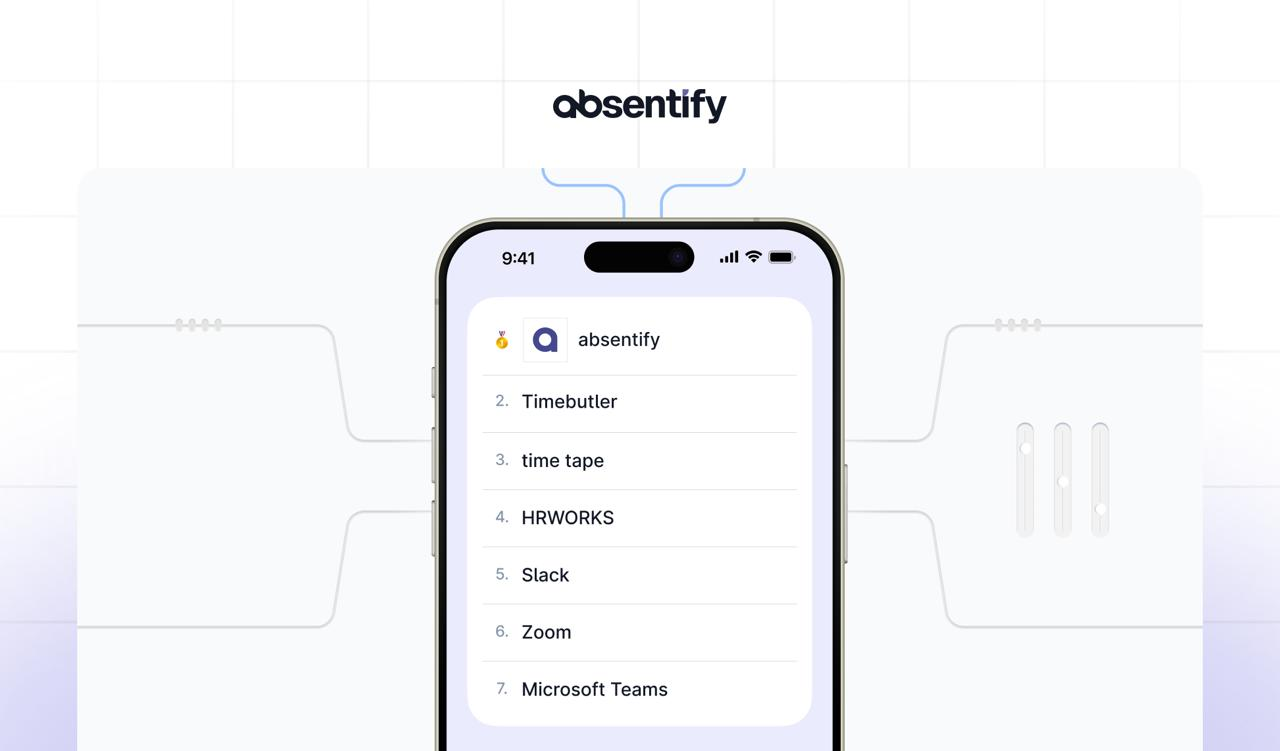
A vacation planning software replaces error-prone Excel spreadsheets with clear, automated processes for leave requests, approvals, and calendar synchronization.
Best Vacation Planning Software: The Essentials in Brief
- A vacation planning software for companies replaces confusing spreadsheets with clear, automated processes for requests, approvals, and calendar synchronization.
- Important factors in choosing vacation planning software may include direct integration into existing systems, secure data processing according to GDPR standards, or customizable approval processes.
- The comparison of the best vacation planning software clearly shows that features, cost models, and integration options vary depending on company size, industry, and IT infrastructure.
Directly to the best vacation planning software
What are important criteria when choosing the best vacation planning software?
You want to save time and avoid mistakes. Then a vacation planning software should be able to grow with your company in the long term. These features will help:
Integration into calendars and systems
If you want absences to automatically appear in the Outlook or Google Calendar, check whether the tool offers automatic user synchronization via Entra ID (or LDAP). This avoids duplicate data maintenance and media discontinuity.

#1 absentify
absentify is a solution for leave and absence management fully integrated into Microsoft 365. The app uses Teams as an interface for leave requests, approvals, and calendar synchronization.
absentify strengths
- Deep Microsoft integration: Synchronization with Outlook, Teams, and SharePoint.
- Automatic user synchronization via Entra ID.
- Multi-level approval processes with delegation logic.
- GDPR-compliant data processing within the Microsoft Cloud.
Functions
- Management of vacation, sickness, home office, and special absences.
- Approval processes in teams.
- Automatic out-of-office replies.
- Live dashboards and conflict verification.
absentify Plans & Pricing
absentify offers four pricing tiers based on team size. A free version is available.
| Plan | Price per user/month¹ | Departments | Main functions |
|---|---|---|---|
| Free | Free of charge | 2 | Basic absences, Outlook calendar, Teams app |
| Mini | 1.00 € / user | 4 | Additional types of absence |
| Essentials (popular) | 2.00 € / user | 8 | Multi-level workflows, 3 Power Automate connectors, webhooks |
| More | 3.50 € / user | unlimited | API support, white-label, prioritized support |
¹Prices excl. taxes.
#2 Timebutler
Timebutler is a German tool that primarily focuses on automated absence notifications and status updates within the Microsoft environment.
Strengths of Timebutler
- Automated absence messages: Out-of-Office emails can be scheduled for sending.
- Teams Status Synchronization: The presence status in Teams automatically adjusts.
- Quick Introduction: No complex installation or training required.
Functions
- Automatic approval workflows
- Current vacation account management
- Configurable types of absence
- Bulk Creation & Bulk Import
Plans & Pricing
Timebutler offers a free basic model and tiered rates for larger teams. A 30-day trial access is available.
| Plan | Price | Number of users |
|---|---|---|
| Plan1 | 29.95 € / month | Up to 5 users |
| Plan2 | 59.95 € / month | Upto 35 users |
| Plan3 | 1.39 € / User/Month | For each additional user from 35 user onwards |
#3 time tape
timetape offers a visual absence overview directly in Microsoft Teams. Users can see all team absences color-coded in a shared calendar.
highlight strengths
- Color-coded calendars: Absences are immediately visible in the Teams calendar.
- Quick search: Employees and appointments can be found intuitively.
- Vacation requests directly in the chat: Requests are conveniently made via the Teams app.
Functions
- Real-time calendar as a tab
- Excel Reports & Charts
- Export interface & DATEV exports
Plans & Pricing
timetape offers two plans and a 30-day trial period. With annual payment, you get a 10% discount.
| Plan | Price per user/month | Main functions |
|---|---|---|
| Standard | from 2 € | Vacation management, Outlook and calendar integration |
| Premium | from 4 € | Time tracking, digital time clock, advanced options |

Start for free now
No credit card required—enjoy unlimited access with our free plan. You can upgrade or cancel anytime.
#4 HRWORKS
HRWORKS is a German cloud solution focused on standardized HR processes and legally compliant personnel management.
HRWORKS Strengths
- Time tracking with rules: Automatic breaks, surcharges, and mobile time tracking included.
- Travel expense report: Digital receipt capture and legally compliant billing.
- EU Hosting (Microsoft Azure): ISO-certified servers and GDPR-compliant data storage.
Functions
- Management of different types of absences
- Approval workflows for leave requests
- Reporting features with an overview of absences, sick days, etc.
- Compliance documents on vacation expiration and automated notices on expiration deadlines
- Integration into the time tracking module
Plans & Pricing
- Free: permanently usable; limited active boards
- Starter: $8 per user/month
- Business: 16 € per user/month
- Enterprise: Price on request (from 30 members)
HRWORKS offers a 14-day trial period for the Business plan, while Free is without a time limit.
#5 Slack
Slack is a collaboration platform for channels, chat, audio/video, and workflows. Through the official 'Microsoft Teams Calls' app, Slack connects with Microsoft Teams, allowing users to start or join Teams meetings directly from Slack.
Strengths
- Start Teams calls from Slack with a click or slash command.
- Join Teams meetings directly from Slack notifications (e.g., Outlook Calendar).
- GDPR-compliant use with contract processing.
- Granular policies, SSO/SCIM, audit logs, and eDiscovery (depending on the plan).
Functions
- Teams-calls and Teams can be set as the default call providers in Slack.
- Participant overview before joining, meeting updates as channel/DM notifications.
- Outlook Calendar App in Slack: Scheduling, reminders, direct join to Teams.
- Role/rights management, guest access, workflow automations.
Slack Plans & Pricing
- Free: Basic features (90-day limit for message and file history)
- Pro: $6.75 per user/month
- Business+: $15 per user/month
- Enterprise+: Price upon request
#6 Zoom
Zoom is a video conferencing platform and can be integrated directly into Microsoft Teams through an official app. This allows meetings, phone calls, or chat functions to be initiated directly from Teams.
Zoom Strengths
- Direct start, joining, and scheduling of Zoom meetings in Teams channels and chats.
- Integration of Zoom Phone for calls, voicemail, and queues.
- Data residency option for paid accounts, where selected data such as recordings and chats are stored within the EU.
- Compatibility between Zoom Rooms and Microsoft Teams meetings.
Functions (Selection)
- Plan and start meetings from within Teams.
- @Zoom commands for creating spontaneous meetings in chats.
- Make phone and video calls directly through Zoom Phone.
- Storage of recordings and transcripts within the EU (depending on the rate).
Zoom Plans & Pricing
- Basic (free): Group calls limited to 40 minutes.
- Pro: €12.49 per user/month
- Business: €17.49 per user/month
Numerous additional integrations such as 'Custom Avatar' or 'Zoom Webinars' can be booked for an additional fee.
Here's how to find the best Microsoft Teams integration
Depending on the team structure and scenario, the benefits and effort of an integration can vary significantly. The following criteria will help in your selection:
| Growth and scaling | Privacy and Security | Depth of integration | Practical benefit |
|---|---|---|---|
| Make sure that integrations scale with your number of users and amount of data. Cloud-based systems offer clear advantages here. | For the DACH market, GDPR compliance is important. Check server location, encryption, and authorization models. | Good apps access Teams features without requiring you to maintain data twice. APIs or Entra ID integrations are a plus. | Only integrations that simplify processes or save time create real added value. Testing phases help to assess everyday usability. |
Further tips:
- Choose integrations that fit your long-term IT infrastructure and security strategy and can adapt to increasing needs.
- Test new tools first to realistically assess features, stability, and user acceptance.
- Pay attention to transparent pricing models and ensure that support and documentation are available in German.
- Incorporate data protection and governance early on so that processes and access rights are properly regulated from the start.
Would you like to simplify your absence management?
- No credit card required
- Unlimited free access
- Upgrade or cancel anytime
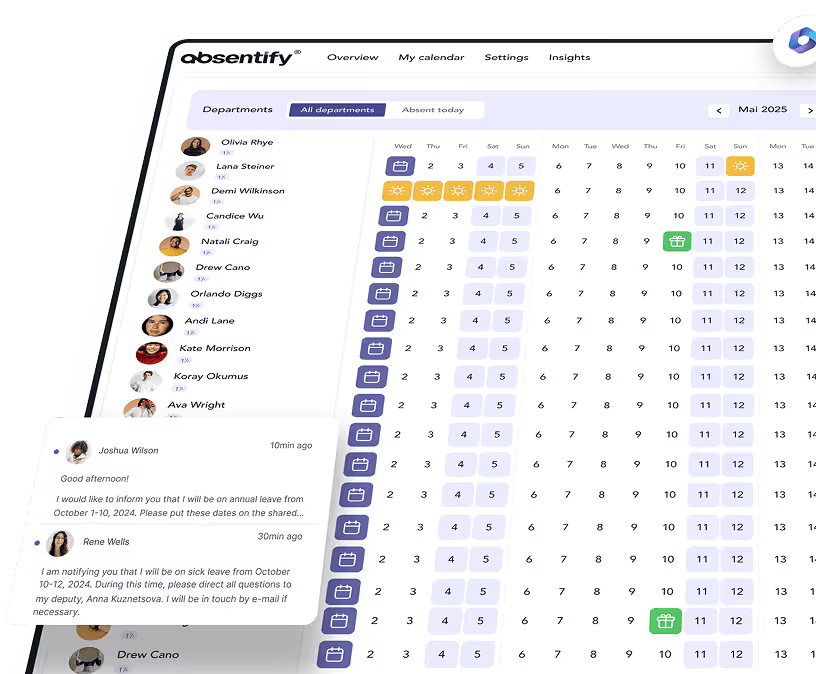
Is absentify the right Microsoft Teams integration for you?
Are you looking for a tool that integrates seamlessly into Microsoft 365 and directly reflects absences in Teams? Then try in your personal demo how, with absentify, you can manage holiday planning, substitutions, and approvals in your existing work environment – without additional tools or manual maintenance.
Vacation Planning Software – Frequently Asked Questions
About the author

Anna Keller
Content manager at absentify
As a blog author at absentify, Anna Keller explains how companies can efficiently manage absences, vacations, and working hours. In her articles, she combines HR practice with Microsoft 365 tips for Outlook and Teams and provides templates, step-by-step instructions, and software comparisons for modern, digital processes.
Share article
More interesting articles
Workplace leave policies: what employers need to consider
A leave policy sets out how employees request time off and how the company approves it. Some provisions may form part of the employment contract; collective agreements, works agreements and internal procedures can add further requirements. This article explains the German framework, where the Federal Leave Act (Bundesurlaubsgesetz, or BUrlG) provides the legal baseline. Together, these rules create a consistent process for workplace leave planning.
Anna Keller
Content manager at absentify
How to request annual leave: process, approval and rules
A leave request records the dates an employee would like to take off. It provides the basis for approval and team absence planning. Employers can check the dates against existing absences and operational requirements. Approval gives employees clarity about their holiday. This guide covers annual leave in Great Britain: the Working Time Regulations 1998, relevant agreements and the company's procedures determine the rules.
Anna Keller
Content manager at absentify
Remaining leave: calculation, carryover and German legal rules
How many days of leave are still available, and how long can they be used? A remaining leave balance answers precisely these questions. It shows which days from the current or an earlier leave year are still outstanding. For companies, this figure also matters for future leave planning. In Germany, whether unused days can be carried over or expire later depends primarily on section 7 of the Federal Leave Act (BUrlG) and the employer's duties to cooperate.
Anna Keller
Content manager at absentify