

Urlaubsplanung im Unternehmen rechtlich gut vorbereitet und ohne Chaos organisieren
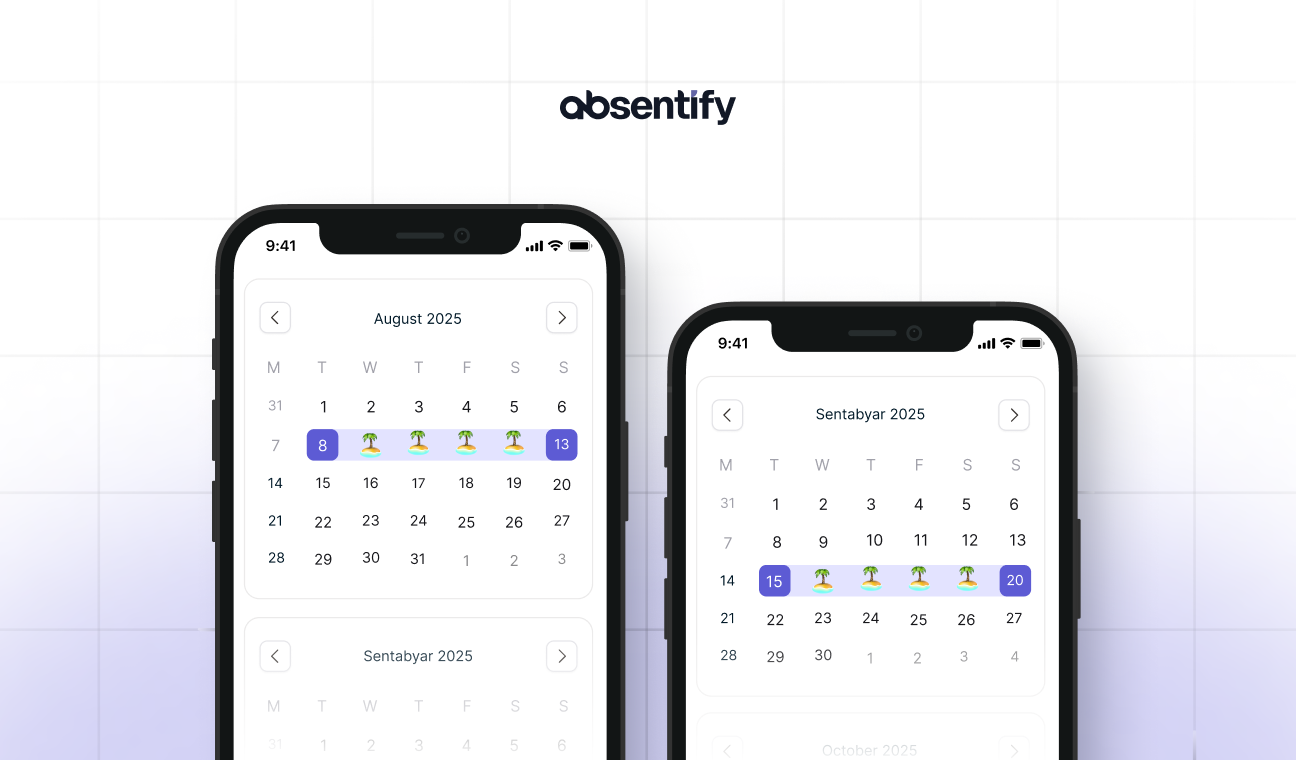
Urlaubsplanung im Unternehmen bezeichnet den Prozess, mit dem Mitarbeiter und Führungskräfte Urlaubswünsche koordinieren, Personalengpässe vermeiden und gesetzliche Vorgaben einhalten. Klare Regeln und ein gemeinsamer Kalender machen dabei den Unterschied zwischen Chaos und Übersicht.
Urlaubsplanung: Das Wichtigste in Kürze
- Der gesetzliche Mindestanspruch auf Erholungsurlaub liegt bei 20 Arbeitstagen im Jahr bei einer Fünf-Tage-Woche.
- Klare Fristen, eine Rotation bei Brückentagen und ein gemeinsamer Kalender verhindern die meisten Konflikte in der Urlaubsplanung.
- Der Standard-Kalender in Outlook zeigt Abwesenheiten an, ohne Genehmigung oder Resturlaub automatisch zu berechnen.
- absentify automatisiert Urlaubsplanung und Abwesenheitsplanung direkt in Outlook, Teams und Microsoft Entra ID, inklusive Genehmigung und Resturlaubsberechnung.
Warum wird die Urlaubsplanung im Unternehmen jedes Jahr zum Kraftakt?
Urlaubsplanung im Unternehmen wird zum Kraftakt, wenn mehrere Mitarbeiter dieselben Termine wollen und Resturlaub kurz vor Jahresende noch offen ist. Excel-Tabellen verschärfen das Problem zusätzlich: Mehrere Personen bearbeiten dieselbe Datei, Formeln verrutschen, und am Ende passen die Salden nicht mehr zusammen.
Für HR-Verantwortliche bedeutet das doppelte Arbeit. Anträge werden zweimal erfasst, Rückfragen häufen sich, und niemand kann auf Anhieb sagen, wie viele Mitarbeiter einer Abteilung im August gleichzeitig fehlen. Genau an dieser Stelle setzt eine geplante Urlaubsplanung für das Unternehmen an: Sie schafft von Beginn an Übersicht, statt Probleme erst im Nachhinein zu lösen.
Falsch berechneter Resturlaub bringt zusätzlich ein rechtliches Risiko mit sich, denn Arbeitgeber müssen den Bestand jederzeit korrekt nachweisen können. Kommt es dazu noch häufig zu Streit um Brückentage oder Betriebsferien, sinkt die Stimmung im Team spürbar, und genau das lässt sich mit klaren Regeln von Anfang an vermeiden.

Was schreibt das Gesetz zur Urlaubsplanung vor?
Das Bundesurlaubsgesetz (BUrlG) regelt den Mindestanspruch auf Erholungsurlaub mit 24 Werktagen bei einer Sechs-Tage-Woche, in der Praxis meist 20 Tage bei fünf Arbeitstagen pro Woche. Nach § 7 Abs. 1 BUrlG muss der Arbeitgeber die Urlaubswünsche der Mitarbeiter vorrangig einplanen. Eine Ablehnung ist nur zulässig, wenn dringende betriebliche Gründe oder die vorrangigen Wünsche anderer Mitarbeiter dagegensprechen, etwa bei Eltern mit schulpflichtigen Kindern.
Nicht genommener Urlaub verfällt grundsätzlich zum Jahresende, bei zulässiger Übertragung meist zum 31. März des Folgejahres. Nach der Rechtsprechung muss der Arbeitgeber die Mitarbeiter aktiv, klar und rechtzeitig auf den drohenden Verfall hinweisen, sonst kann der Anspruch bestehen bleiben. Zusätzlich hat der Betriebsrat nach § 87 Abs. 1 Nr. 5 BetrVG ein Mitspracherecht bei allgemeinen Urlaubsgrundsätzen und bei Betriebsferien.
Erkrankt ein Mitarbeiter im bereits genehmigten Urlaub, zählen die Krankheitstage mit ärztlichem Attest nach § 9 BUrlG nicht als Urlaubstage. Teilzeitkräfte erhalten den Urlaubsanspruch anteilig nach ihren Arbeitstagen pro Woche, und neue Mitarbeiter bekommen den vollen Anspruch erst nach sechs Monaten Betriebszugehörigkeit, davor nur anteilig.
Wie gelingt Urlaubsplanung fair für dein gesamtes Team?
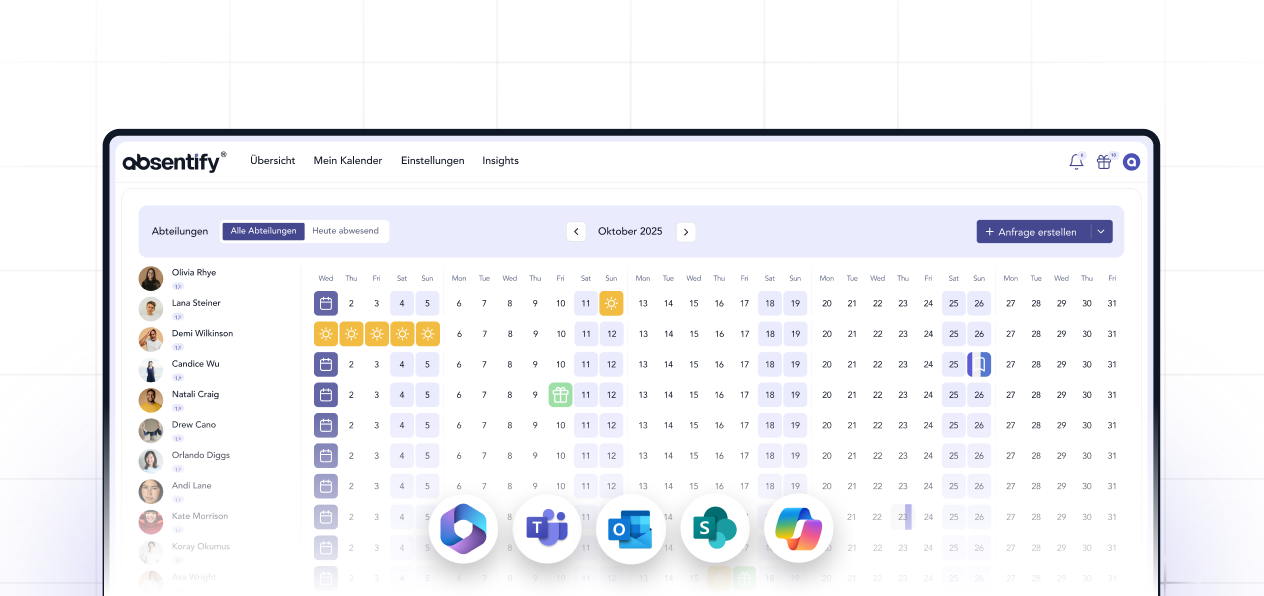
Faire Urlaubsplanung für Mitarbeiter gelingt mit klaren Regeln, die für die gesamte Abteilung gleich gelten und schriftlich festgehalten sind. Was für den Urlaub gilt, gilt genauso für die restliche Abwesenheitsplanung: Krankheit, Sonderurlaub oder Homeoffice-Tage gehören in dieselbe Übersicht, damit niemand doppelt plant.
Klare Fristen setzen
Eine Deadline für die Jahresplanung, etwa Ende Januar, gibt allen Mitarbeitern Zeit für ihre Wünsche und lässt genug Vorlauf für Korrekturen. Ein Infobrief Urlaubsplanung zu Jahresbeginn informiert dein Team frühzeitig über diese Frist, über offene Resturlaubstage und über die geltenden Regeln.
Rotation bei Brückentagen
Ein Rotationssystem sorgt dafür, dass beliebte Termine wie Brückentage oder die Woche zwischen Weihnachten und Neujahr über die Jahre gerecht verteilt werden. Niemand blockiert dieselben Tage zweimal in Folge und die Zufriedenheit im Team steigt spürbar.
Resturlaub rechtzeitig abbauen
Resturlaub baust du am besten mit festen Terminen im letzten Quartal ab, an denen Führungskräfte offene Tage aktiv mit ihrem Team klären. Ein Blick auf den aktuellen Stand genügt, um rechtzeitig gegenzusteuern, statt kurz vor dem 31. März alle Anträge auf einmal zu genehmigen.
Urlaubsplanung in Outlook: Was leistet der Standard-Kalender?
Urlaubsplanung mit Outlook funktioniert über einen gemeinsamen Gruppenkalender, in dem alle Mitarbeiter ihre Abwesenheiten eintragen. Wenn du dich für eine Urlaubsplanung in Outlook entscheidest, lohnt sich ein eigener Abteilungskalender, statt private und dienstliche Termine zu vermischen.
Urlaubsplanung mit Outlook allein zeigt aber nur, wer abwesend ist. Eine echte Genehmigungsfunktion, automatisch berechnete Resturlaubstage oder Mindestbesetzungen pro Abteilung fehlen dem Standard-Kalender vollständig. Bei kleinen Teams reicht das oft aus, bei größeren Abteilungen entstehen schnell Lücken.
Outlook Urlaubsplanung mit absentify: automatisierte Prozesse in Teams
Outlook-Kalender-Urlaubsplanung im Team lässt sich mit absentify direkt erweitern, ohne die gewohnte Oberfläche zu verlassen. absentify synchronisiert sich mit Outlook und Microsoft Teams und übernimmt dabei die Genehmigungsprozesse, die der Standard-Kalender nicht abbildet.
Konkret bedeutet das für dein Team:
- Automatische Synchronisierung mit Microsoft Entra ID, sodass neue Mitarbeiter ohne zusätzlichen Aufwand im Urlaubskalender erscheinen.
- Genehmigungsworkflows direkt in Teams, sodass Führungskräfte Anträge mit einem Klick freigeben, statt E-Mails hin und her zu schicken.
- Automatische Berechnung von Urlaubstagen und Resturlaub, sodass niemand mehr manuell nachrechnen muss.
- Mindestbesetzungen je Abteilung, sodass ein Antrag automatisch markiert wird, wenn zu viele Mitarbeiter gleichzeitig fehlen würden.
Meldet sich beispielsweise die Hälfte eines Vertriebsteams für dieselbe Woche im Sommer an, zeigt absentify die Überschneidung sofort im Kalender an, noch bevor eine Führungskraft den Antrag freigibt. So bleibt die Abteilung besetzt, ohne dass jemand Anträge manuell gegenprüfen muss.
Möchtest du dein Abwesenheitsmanagement vereinfachen?
- Keine Kreditkarte erforderlich
- Unbegrenzter kostenloser Zugang
- Jederzeit upgraden oder kündigen
Wie kannst du Urlaubsplanung übersichtlich organisieren?
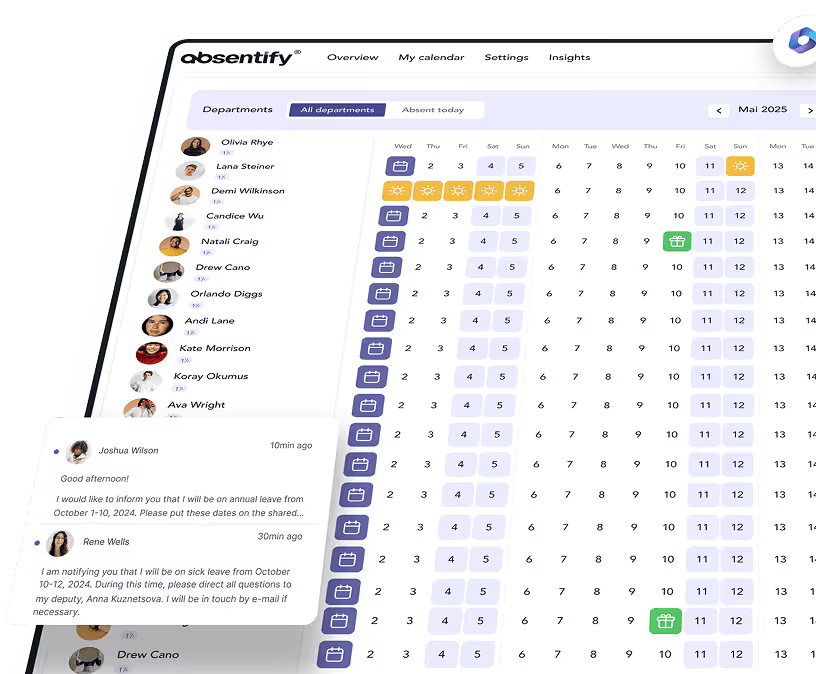
Urlaubsplanung mit weniger Fehlern gelingt mit einem Urlaubsplanungs-Tool, das Anträge, Genehmigungen und Resturlaub an einem Ort zusammenführt, statt die Daten über mehrere Dateien zu verteilen. Papierkarten und Excel-Listen verlangen dagegen viel Handarbeit. Genau hier entstehen die meisten Fehler.
Excel-Urlaubsplanung: Wo stößt die Tabelle an ihre Grenzen?
Eine Excel-Tabelle ist schnell aufgesetzt und kostet zunächst nichts. Sobald mehrere Personen gleichzeitig auf dieselbe Datei zugreifen, kommt es aber zu Versionskonflikten, und Formeln zur Berechnung von Resturlaub verrutschen. Ab etwa zehn Mitarbeitern kann der Pflegeaufwand einer Excel-Tabelle den Nutzen übersteigen, und ein eigener Urlaubsplaner übernimmt Versionierung und Berechnung automatisch.
Eigenständige Urlaubsplaner-Apps außerhalb von Microsoft 365 lösen das Übersichtsproblem, bringen aber ein eigenes Postfach und eine eigene Oberfläche mit. Mitarbeiter müssen das Programm zusätzlich zu Outlook und Teams öffnen. Genau dieser Wechsel kostet in der Praxis Zeit und sorgt für vergessene Einträge.
absentify: Abwesenheitsplanung direkt in Microsoft 365
absentify bildet die komplette Urlaubs- und Abwesenheitsplanung in Outlook, Teams und Microsoft Entra ID ab, sodass du keine separate Oberfläche im Arbeitsalltag einführen musst. Jeder Mitarbeiter sieht seinen persönlichen Kalender mit Resturlaub, ohne selbst nachzurechnen.
| Excel | Outlook-Kalender | absentify | |
|---|---|---|---|
| Ohne Einrichtung sofort nutzbar | ✓ | ✓ | ✗ |
| Genehmigungsworkflow enthalten | ✗ | ✗ | ✓ |
| Berechnung ohne eigene Formelpflege | ✗ | ✗ | ✓ |
| Mindestbesetzungs-Warnung ohne Eigenbau | ✗ | ✗ | ✓ |
absentify legt für jede Abteilung eigene Abwesenheitstypen an, sodass Urlaub, Krankheit oder Elternzeit sauber getrennt bleiben. Ein Urlaubsantrag lässt sich in wenigen Klicks stellen und freigeben und der zugehörige Urlaubskalender zeigt allen Mitarbeitern sofort, wer wann abwesend ist. Für Zeiten mit hohem Andrang bietet absentify zusätzlich eine Urlaubssperre, die bestimmte Zeiträume für neue Anträge automatisch blockiert.
Bei größeren Teams zahlt sich außerdem eine eigene Urlaubsplaner-Software aus. Sie bündelt Abteilungen, Arbeitszeiten und Feiertagskalender aus über 250 Ländern an einem Ort.
So gelingt strukturierte Urlaubsplanung mit absentify in Microsoft 365
Urlaubsplanung im Unternehmen funktioniert, wenn klare Fristen, faire Regeln und ein gemeinsamer Kalender zusammenkommen. Sobald Outlook oder Excel an ihre Grenzen stoßen, übernimmt absentify die Genehmigung, die Berechnung und die Übersicht direkt in Microsoft Teams. So lässt sich Resturlaub am Jahresende besser im Blick behalten und niemand muss Anträge doppelt nachtragen.
Für HR-Verantwortliche heißt das konkret: weniger Rückfragen, weniger Excel-Pflege und ein Kalender, den jeder Mitarbeiter ohnehin schon kennt. Gesetzliche Fristen lassen sich dabei besser im Blick behalten, statt am Jahresende zum Rechenprojekt zu werden.
Deine Vorteile mit absentify:
- Du siehst alle Abwesenheiten deines Teams auf einen Blick, ohne mehrere Dateien zu vergleichen.
- Du sparst dir manuelle Berechnungen, weil absentify Resturlaub automatisch führt.
- Du reduzierst das Risiko von Personalengpässen durch feste Mindestbesetzungen je Abteilung.
- Du arbeitest weiter in Outlook und Teams, ohne ein zusätzliches Programm zu lernen.

Automatisiere deine Urlaubsplanung mit absentify
Organisiere deine Urlaubsplanung ohne Excel-Chaos, mit automatischer Genehmigung und Resturlaubsberechnung in Outlook und Teams.
Urlaubsplanung – Häufige Fragen und Antworten
Über den Autor

Anna Keller
Content Managerin bei absentify
Als Blogautorin bei absentify erklärt Anna Keller, wie Unternehmen Abwesenheiten, Urlaub und Arbeitszeiten effizient verwalten können. In ihren Artikeln verbindet sie HR-Praxis mit Microsoft 365-Tipps für Outlook und Teams und liefert Vorlagen, Schritt-für-Schritt-Anleitungen und Softwarevergleiche für moderne, digitale Prozesse.
Artikel teilen
Weitere interessante Artikel

Betriebliche Urlaubsregelung: Was Arbeitgeber beachten müssen
Eine Urlaubsregelung legt fest, nach welchen Grundsätzen Urlaub im Unternehmen beantragt und gewährt wird. Teile davon können im Arbeitsvertrag festgehalten sein. Je nach Unternehmen ergeben sich weitere Vorgaben aus Tarifverträgen, Betriebsvereinbarungen oder internen Regelungen. Das Bundesurlaubsgesetz setzt dabei den rechtlichen Rahmen. So entsteht ein verbindlicher Ablauf, an dem sich die betriebliche Urlaubsplanung orientiert.
Anna Keller
Content Managerin bei absentify
Urlaubsantrag stellen: Ablauf, Genehmigung und Regeln
Ein Urlaubsantrag hält fest, für welchen Zeitraum Urlaub gewünscht wird. Er schafft die Grundlage für die Freigabe und Abwesenheitsplanung im Team. Unternehmen können prüfen, ob der Zeitraum mit bereits geplanten Abwesenheiten und betrieblichen Anforderungen vereinbar ist. Beschäftigte erhalten mit der Freigabe Klarheit über ihren Urlaub. Welche Regeln dafür gelten, ergibt sich vor allem aus § 7 Bundesurlaubsgesetz und den im Unternehmen festgelegten Abläufen.
Anna Keller
Content Managerin bei absentify

Resturlaub: Berechnung, Übertrag und gesetzliche Vorgaben
Wie viele Urlaubstage sind noch offen und wie lange können sie genutzt werden? Genau diese Fragen beantwortet der Resturlaubsstand. Er zeigt, welche Urlaubstage aus dem aktuellen oder einem früheren Urlaubsjahr noch bestehen. Für Unternehmen ist dieser Wert zugleich relevant für die weitere Urlaubsplanung. Ob offene Tage übertragen werden oder zu einem späteren Zeitpunkt erlöschen können, richtet sich vor allem nach § 7 BUrlG und den Mitwirkungsobliegenheiten des Arbeitgebers.
Anna Keller
Content Managerin bei absentify