

Workforce Capacity Planning – Deploy Staff Effectively and Avoid Bottlenecks
Effective workforce capacity planning ensures that projects stay on track, employees are neither overloaded nor underutilized, and resources are used efficiently. Organizations that have a clear picture of their available capacity can manage teams proactively and prevent bottlenecks before they arise.
Workforce Capacity Planning: The Essentials at a Glance
- Structured workforce capacity planning prevents overload, supports realistic project planning, and keeps teams productive.
- Comparing planned versus actual capacity helps identify bottlenecks and available resources early, enabling targeted adjustments.
- Regular updates and clearly defined responsibilities are essential for maintaining reliable workforce capacity planning.
- With absentify, you can manage workforce capacity, leave, and projects directly within Microsoft 365 — automatically, transparently, and without spreadsheet errors.
What Is Workforce Capacity Planning?
Workforce capacity planning is the systematic alignment of available staff with actual demand. The goal is to ensure that enough qualified employees are available for upcoming tasks at the right time. Both working hours and individual or team utilization are considered.
This type of planning is a core element of workforce demand planning and provides the foundation for realistic project and production targets. It helps detect under- or over-capacity early so that corrective action can be taken. This applies to full-time employees as well as part-time staff, seasonal workers, or external contractors.
Core Elements of Workforce Capacity Planning
- Available working time: Actual working hours after accounting for leave, sickness, part-time arrangements, or training.
- Capacity demand: Time required for planned tasks or projects.
- Planned vs. actual comparison: A comparison between scheduled and actual output to make bottlenecks visible.
- Deployment adjustments: Redistributing tasks or adjusting working hours when discrepancies arise.

How Do You Calculate Employee Capacity?
Calculating employee capacity is the foundation of any sound workforce capacity planning. It reveals how many working hours are actually available and whether they are sufficient to cover planned workload. Accurate calculation prevents overload and ensures projects can be planned realistically.
Formula for Calculating Workforce Capacity
The calculation follows a straightforward formula:
Example: A team of 10 employees, each working 8 hours per day over 220 working days per year, has a gross capacity of 17,600 hours.
After deducting leave, sickness, and training (e.g., 10% absence rate), the net capacity is 15,840 hours.
| Calculation factor | Example value | Explanation |
|---|---|---|
| Number of employees | 10 | Available headcount |
| Working hours per day | 8 hours | Contractually agreed working time |
| Working days per year | 220 | Working days excluding weekends |
| Absence rate | 10% | Average due to leave, sickness, and training |
| Available capacity | 15,840 hours | Actually plannable working hours |
Why Must Capacity Calculations Be Reviewed Regularly?
Capacity figures change constantly due to part-time arrangements, vacation periods, sick leave, or project shifts. Regular updates prevent miscalculations and enable early adjustments to workforce planning.
What Methods Exist for Workforce Capacity Planning?

Start for free now
No credit card required—enjoy unlimited access with our free plan. You can upgrade or cancel anytime.
How Do You Identify Bottlenecks in Workforce Capacity Planning?
Bottlenecks occur when available workforce capacity is insufficient to meet planned demand. Early detection is critical to avoid overtime, project delays, or quality issues. A structured analysis and regular data maintenance help ensure realistic decision-making.
Typical Signs of Capacity Bottlenecks
- Frequent overtime or recurring weekend work
- Project delays due to a lack of skilled staff
- Last-minute task reassignments
- Rising absence rates as employees become overloaded
Early Warning System for Capacity Issues
An effective early warning system relies on up-to-date data. Key elements include:
- Utilization reports per team or department
- Planned vs. actual working time comparisons
- Project calendars that show absences at a glance
- Leave overviews that flag bottlenecks during peak vacation periods
How Can Workforce Capacity Planning Be Done in Excel?
Excel remains one of the most widely used tools for workforce capacity planning. It is quick to adapt and easily accessible. However, it is essential that spreadsheets are clearly structured and regularly maintained.
Setting Up an Excel Template for Workforce Capacity Planning
A capacity planning spreadsheet should include the following elements:
| Area | Description | Example |
|---|---|---|
| Employee overview | List of all employees with role and working time model | John Smith, 40 hrs/week |
| Project list | Active projects or task areas | Client project A, internal project B |
| Available hours | Working time minus leave, sickness, and public holidays | 160 hrs – 8 hrs leave = 152 hrs |
| Planned effort | Hours required per project or task | 60 hrs for project A |
| Utilization overview | Ratio of available to planned time | 60/152 = 39% utilization |
This makes it easy to spot overloads when planned working time exceeds available capacity.
What Are the Limitations of Excel in Workforce Planning?
Excel quickly reaches its limits when multiple teams, shift models, or frequent absences need to be factored in. Formula errors or manual data entry easily lead to inaccurate results.
If you want to plan capacity reliably over time, you should combine Excel with an automated solution — for example, by integrating with Microsoft 365 or tools that automatically synchronize leave, sickness, and project data.
How Can You Improve Workforce Capacity Planning?
Strategic workforce capacity planning considers long-term developments such as staffing needs, skills, and upcoming projects. This helps prevent bottlenecks before they occur.
These are the key components of strategic workforce capacity planning:
Plan Workforce Capacity Clearly and Avoid Bottlenecks
Thoughtful workforce capacity planning ensures projects run smoothly, employees are relieved of unnecessary pressure, and organizations can respond in time. Manual spreadsheets are often only a short-term solution. When you bring processes, absences, and tasks together in one system, you save time and reduce errors.
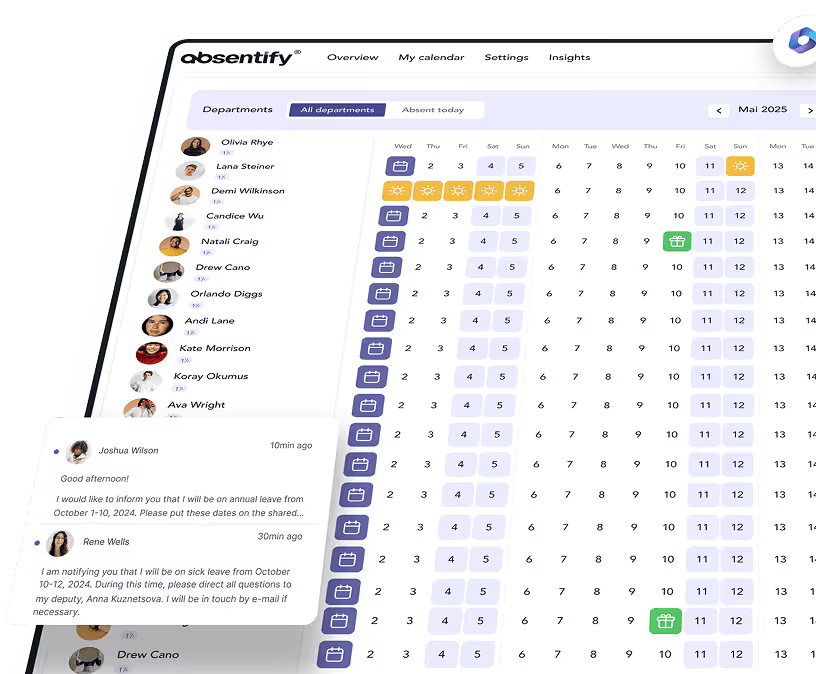
With absentify, you can connect workforce data, absences, and project requirements directly within Microsoft 365. Capacities are calculated in real time, changes appear instantly in the calendar, and team coordination stays transparent.
Your benefits with absentify:
- Real-time overview of all capacity, leave, and project data
- Automatic synchronization with Outlook calendar and Teams
- Less coordination effort through clear substitute assignments
- Planning without spreadsheet errors or duplicate data entry
Want to simplify your workforce capacity planning?
- No credit card required
- Unlimited free access
- Upgrade or cancel anytime
Workforce Capacity Planning – Frequently Asked Questions and Answers
About the author

Anna Keller
Content manager at absentify
As a blog author at absentify, Anna Keller explains how companies can efficiently manage absences, vacations, and working hours. In her articles, she combines HR practice with Microsoft 365 tips for Outlook and Teams and provides templates, step-by-step instructions, and software comparisons for modern, digital processes.
Share article
More interesting articles
Reducing overtime: rights, duties and the process for employers and teams
Reducing overtime means offsetting accumulated extra hours with time off or payment. Under German employment law, the six calendar months or 24 weeks specified in the German Working Time Act apply solely to offsetting an extended working day against the statutory eight-hour average. Employment contracts, works agreements or collective agreements determine how an overtime balance can be reduced. Where these rules permit time off in lieu, the employer determines its timing and process within the scope of their right to give instructions.
Anna Keller
Content manager at absentify
When does unused leave expire? Deadlines and exceptions that determine your entitlement
Under German law, unused leave expires only under certain conditions: entitlement generally lapses on 31 December, or after the carryover period on 31 March, only if your employer has given you timely and specific notice of the impending expiry and you still do not take the leave. An exception applies in cases of continuous illness.
Anna Keller
Content manager at absentify

Employee Self Service (ESS): Definition, Features, and Benefits for Leave and Absence Management
Employee Self Service (ESS) gives employees access to manage their personal data, leave requests, or absences themselves without coordinating every step with HR. The term originally comes from SAP HR modules and has become an umbrella term for self-service features in human resources. Its benefits are particularly clear in leave and absence management.
Anna Keller
Content manager at absentify