

Vacation Plan: Rights, Setup & Practical Template
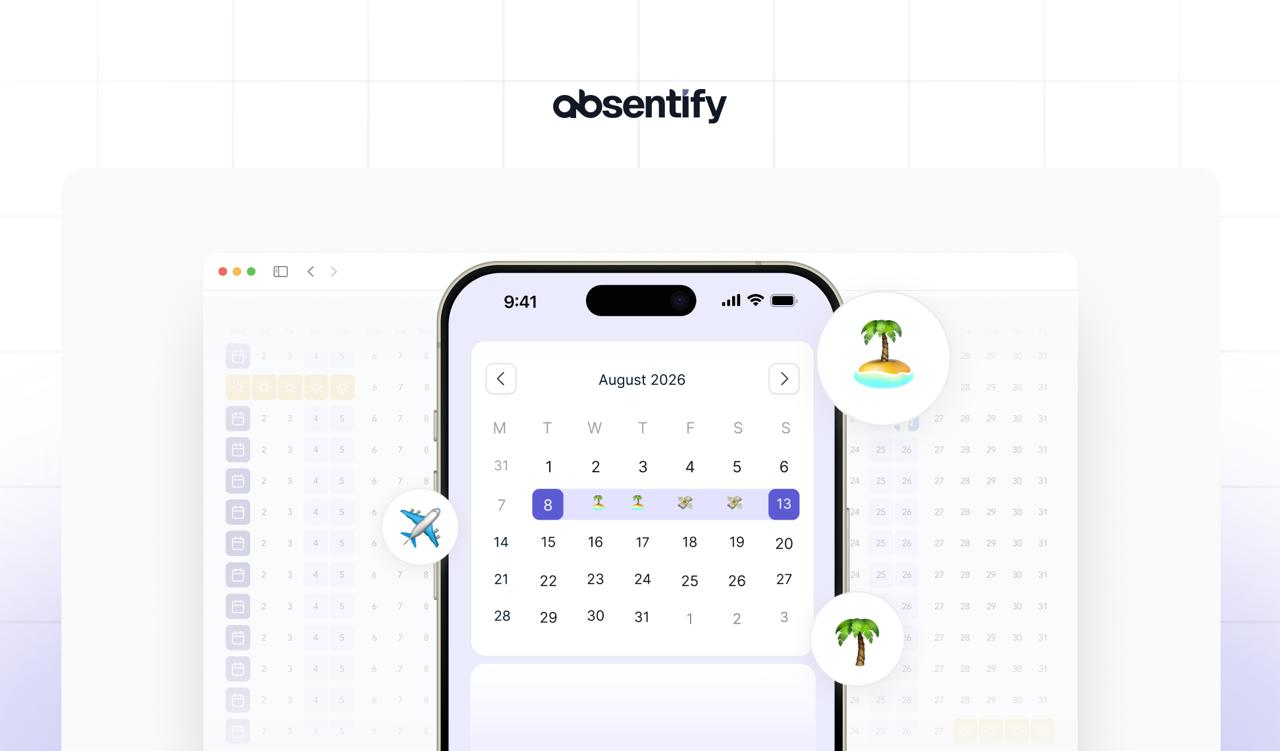
A vacation plan helps teams work more smoothly, ensures leave entitlements are handled correctly, and prevents scheduling conflicts or forfeited days off. With proper organization of employee leave, you save time, reduce risk, and create clarity across your organization.
Vacation plan: The essentials at a glance
- A vacation plan displays absences in a structured way and ensures clear processes across the organization.
- Legal frameworks for vacation planning vary by jurisdiction — in the US, the Fair Labor Standards Act (FLSA) does not mandate paid leave, but many employers follow best practices outlined by SHRM for PTO policies.
- A vacation plan should only display necessary data such as name and dates — all other details fall under GDPR and equivalent data protection regulations.
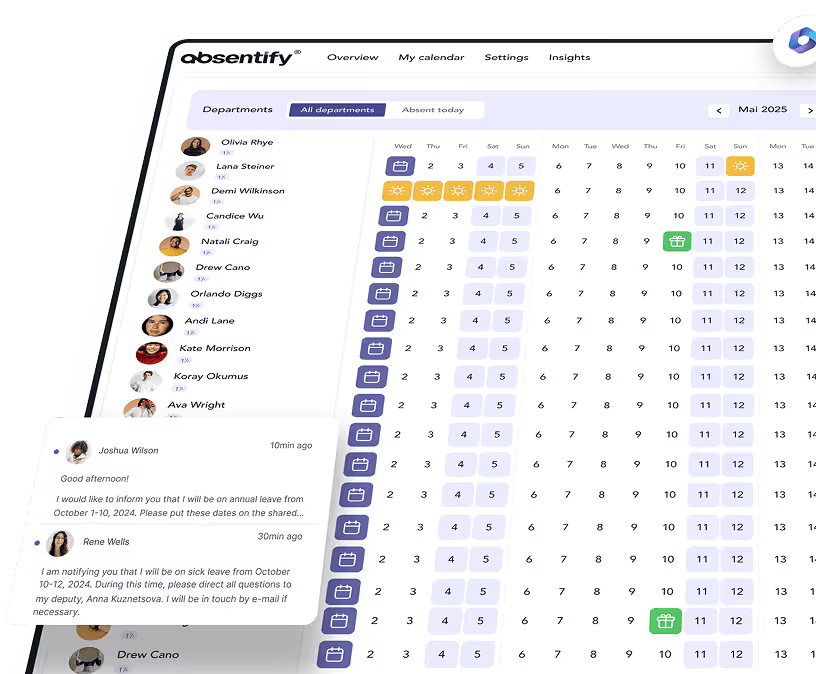
- absentify creates the vacation plan automatically, documents absences, and makes them visible directly in Outlook or Teams.
Vacation planner template for download
A vacation plan for employees helps teams schedule upcoming absences early and avoid bottlenecks. It makes it easy to see when colleagues want to take time off and how this aligns with operational needs.
With the free vacation planner template from absentify, you can create this overview right away and use it for your team. The template is available for download and can be sorted by department or time period to avoid double bookings.
- Download absentify vacation planner template as PDF
- Download absentify vacation planner template as Google Sheet
- Download absentify vacation planner template as Excel
What is a vacation plan?
A vacation plan is a structured overview of employee absences within a year or a defined period. It serves to make time off visible and keep day-to-day operations running smoothly.
Unlike a simple absence overview that only documents approved or past absences, a vacation planner actively helps manage and coordinate future leave.
What are the typical contents of a vacation plan?
- Employee name
- Department/team
- Absence period
- Type of leave (e.g., annual leave, carried-over leave, special leave)
- Request status (requested, approved, rejected)

How do you create a vacation plan for employees?
A vacation plan for employees is built step by step. First, leave requests are collected, then absences are entered into the calendar and checked for overlaps. Managers or HR departments verify that legal requirements are met and team coverage is maintained. Only after this review is leave approved and recorded in the plan.
Creating a vacation plan in 5 steps
- Collect and document leave requests.
- Enter absences into the calendar.
- Analyze overlaps and coordinate alternatives.
- Grant approvals and mark them in the plan.
- Update and communicate regularly.
What legal rules apply to vacation planning?
Vacation planning rules vary significantly by country and jurisdiction. In the United States, there is no federal law requiring paid vacation, but according to the Bureau of Labor Statistics (BLS), around 79% of private-sector workers receive paid vacation. In the UK, workers are entitled to 5.6 weeks (28 days) of paid annual leave under the Working Time Regulations 1998. Most EU countries mandate a minimum of 20 days of paid leave per year.
Typical leave entitlements
- US: No federal minimum; average is 10–15 days for private-sector employees (BLS data)
- UK: 28 days statutory minimum (including public holidays)
- EU: Minimum 20 working days under the EU Working Time Directive
- Employment contracts or company policies often provide additional leave
Team coordination and fairness
- Where employee representatives or works councils exist, they often have a say in leave scheduling.
- Priority is typically given based on social factors such as school-age children, health considerations, or length of service.
- Company-wide shutdowns are possible but must be communicated well in advance.
Carrying over unused leave
- Policies on carrying over unused leave vary — many companies allow carryover within a set deadline (e.g., Q1 of the following year).
- In the EU, the European Court of Justice has ruled that leave cannot simply expire without employers actively enabling employees to take it.

Create your vacation plan automatically
absentify creates your vacation plan automatically and makes it visible directly in Outlook or Teams. Plan leave transparently and in compliance with regulations.
What data protection rules apply to vacation plans?
A vacation plan contains personal data and therefore falls directly under GDPR and equivalent data protection regulations. Typically, names and leave periods are recorded, both of which are data protection-relevant. Employers may process this data as it is necessary for managing statutory leave entitlements.
What data may be visible in a vacation plan?
A vacation planner for employees should make absence overviews easier without revealing private details. Recommended displays show only the period and status.
Permissible information includes:
- Employee name and approved leave periods
- Department or team affiliation
- Leave type only if no sensitive information is involved ("annual leave" is fine, "sick leave" is not)
What happens if data protection rules are violated?
GDPR violations can result in significant fines. It is therefore advisable to use templates or a digital vacation planner that operates in a data-protection-compliant manner. absentify relies on role-based access management so that only authorized persons can view sensitive data.
Stress-free and transparent vacation planning
Spreadsheet formats in Excel are common but quickly hit their limits. Manual updates, version conflicts, and lack of transparency make them impractical. That is why many companies now rely on a digital vacation planner that automatically updates absences and makes them accessible at any time.
Benefits of a digital vacation planner:
- Automatic real-time updates of all absences.
- Simple approval workflows without paperwork.
- Transparent leave overview for teams and managers.
- Data-protection-compliant management through role-based access control.
absentify documents absences automatically, provides digital leave requests, and makes them visible directly in Outlook or Teams.
Want to simplify your vacation planning?
- No credit card required
- Unlimited free access
- Upgrade or cancel anytime
Vacation plan – Frequently asked questions and answers
About the author

Anna Keller
Content manager at absentify
As a blog author at absentify, Anna Keller explains how companies can efficiently manage absences, vacations, and working hours. In her articles, she combines HR practice with Microsoft 365 tips for Outlook and Teams and provides templates, step-by-step instructions, and software comparisons for modern, digital processes.
Share article
More interesting articles
Reducing overtime: rights, duties and the process for employers and teams
Reducing overtime means offsetting accumulated extra hours with time off or payment. Under German employment law, the six calendar months or 24 weeks specified in the German Working Time Act apply solely to offsetting an extended working day against the statutory eight-hour average. Employment contracts, works agreements or collective agreements determine how an overtime balance can be reduced. Where these rules permit time off in lieu, the employer determines its timing and process within the scope of their right to give instructions.
Anna Keller
Content manager at absentify
When does unused leave expire? Deadlines and exceptions that determine your entitlement
Under German law, unused leave expires only under certain conditions: entitlement generally lapses on 31 December, or after the carryover period on 31 March, only if your employer has given you timely and specific notice of the impending expiry and you still do not take the leave. An exception applies in cases of continuous illness.
Anna Keller
Content manager at absentify
Employee Self Service (ESS): Definition, Features, and Benefits for Leave and Absence Management
Employee Self Service (ESS) gives employees access to manage their personal data, leave requests, or absences themselves without coordinating every step with HR. The term originally comes from SAP HR modules and has become an umbrella term for self-service features in human resources. Its benefits are particularly clear in leave and absence management.
Anna Keller
Content manager at absentify