

absentify vs. absence.io – Which tool is right for your absence management?
Teams that want to manage absences in a structured way are often faced with a choice: absentify vs. absence.io. Both applications offer absence management features, but what are the differences in terms of usability, integration, and data protection?
Used by 30,000+ companies worldwide


















Comparison at a glance: absentify vs. absence.io overview
The comparison between absentify and absence.io is mostly based on the extent to which the tools fit into the existing work routine without additional effort for IT or HR. The following overview helps to quickly grasp the most important differences:
Microsoft Teams integration
Included
Outlook calendar connection
Direct calendar synchronization
Single sign-on
Included
Automatic user synchronization
SCIM integration required
Rollout effort
Manual user configuration or setup
Maintenance effort
Separate platform maintenance
Automatic Outlook out-of-office messages
Manual configuration
GDPR compliance
Included
Audit functions
Included
Vacation overviews
Included
The features of absentify & absence.io – Which tool fits into your everyday work routine?
Vacation planning, sick notes, or automatic absence notifications: Only upon closer inspection does it become clear how differently absentify and absence.io handle typical HR tasks. The comparison shows which features can be used directly and where additional effort is required.
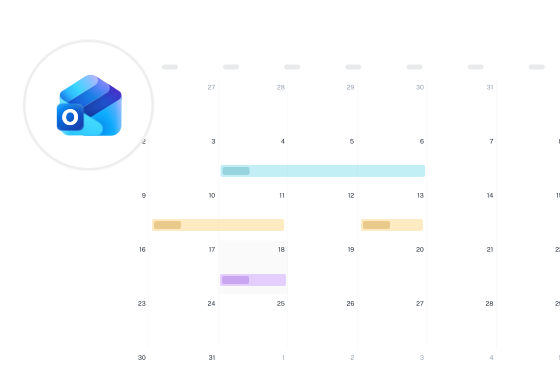
Microsoft 365 & Outlook calendar integration
User management & rights concepts
Evaluations & HR insights
Communication & Out-of-Office Notices
Data protection & hosting

absentify vs. absence.io: Price comparison
When choosing a tool for absence management, it is important to consider not only the features but also the running costs and billing models. absentify and absence.io both use user-based pricing models, but differ in terms of pricing tiers and discount options.
Pricing overview
Billing unit
Per user
Prices
Starter from €2.99 per user/month
Free version
No
Discounts for annual payment
10%
Trial period
14-day trial period
Both providers charge per active user and offer tiered plans. absence.io bundles features in its Starter, Pro, and Complete packages and does not offer a permanently free entry plan. absentify uses a lean billing model, offers a free version for small teams, and provides fixed package prices including calendar integration. This creates a clear basis for calculation, especially for Microsoft 365 users in the DACH region. For up-to-date pricing, visit our pricing page and the absence.io pricing page.
absentify vs. absence.io: What You Should Consider Before Making Your Choice
Both tools clearly differ in structure and technical integration. To help you better assess which system fits your company, consider the following points:
Technical Integration
Rights & Functions
Data Protection Regulations
Availability of Support
Integration and Compatibility - How Do the Tools Fit into Your IT?
Microsoft 365
absentify:
- Deep integration into Outlook and Teams
- Calendars automatically update with approved absences
- Users can be synced via Microsoft Entra ID; roles are managed in absentify
absence.io:
- Direct synchronization with Outlook and Google Calendar
- Teams bot for requests and approvals
User and Rights Management
absentify:
- User management operates through existing Microsoft structures
- Users and groups can be synced; roles are assigned in absentify
absence.io:
- SCIM provisioning is available for user management
- Roles can be freely defined but must be assigned individually
GDPR & Data Protection - How Do Both Tools Handle Sensitive Data?
Especially with personal data such as absences, vacation requests, or sick notes, high standards apply in Europe. For companies in the DACH region, GDPR-compliant handling is mandatory.
What Are the Differences?
absentify:
- Server location: EU (Microsoft Azure)
- Processing according to EU standards (AVV)
- GDPR-compliant data processing
- Automated access control via Microsoft Entra ID
absence.io:
- Hosting via AWS in Germany
- AV contract available
- ISO 27001 certification of the data center
- SCIM provisioning via external identity providers is available
Relevant Questions for Your Company
- Is a server location within the EU required?
- Is there a need to manage roles and users through Microsoft services like Entra ID?
- Is manual rights assignment sufficient, or should it be centrally automated?
- What documentation does your data protection officer require (e.g., AVV, ISO certifications)?
Both tools allow for GDPR-compliant use and rely on hosting within the EU. absence.io is well-positioned with certified data centers and an AV contract. absentify additionally offers advantages for companies using Microsoft services like Entra ID and valuing automated access control.
absentify vs. absence.io – Frequently asked questions
Quick answers to common questions about usability, security, and features.
absentify is specifically designed for Microsoft 365 and offers direct integrations with Outlook and Teams. absence.io also offers Outlook calendar synchronization and a Teams bot, but remains a standalone platform.
absentify relies on automated calendar updates and Outlook notifications. absence.io offers configurable email reminders.
With absentify, users and groups can be synced via Microsoft Entra ID, while roles are assigned in absentify. absence.io supports SCIM provisioning and manages role profiles within its own platform.
Yes, absence.io offers additional modules such as time tracking and personnel files. absentify focuses on lean absence planning, which often fits the IT strategy of Microsoft-centric teams.
Both tools allow you to define your own absence types. With absentify, these are visible directly in Microsoft Teams and Outlook, while absence.io manages them within the web interface.

Do you still have unanswered questions or do you have special requirements?
Your vacation and absence planning, fully integrated with Microsoft 365


100% Microsoft 365 integrated
directly in Teams, Outlook & Entra ID
GDPR & ISO 27001 certified
certified safety
Rollout in hours, not weeks
without IT implementation
230,000+ active users worldwide
for HR, IT, management and more