

Automate Leave Requests – How the Digital Approval Process Works in Microsoft 365

Automating the leave request process is not the same as emailing a form. True automation means: submitting the request, checking for conflicts, obtaining approval, updating the calendar — all without manual intervention. This guide shows what that looks like in practice in Microsoft 365, how to keep it GDPR-compliant, and where Power Automate hits its limits.
Automating Leave Requests: The Essentials at a Glance
- A leave request is genuinely automated when the flow from submission to calendar entry runs system-driven and largely without manual intermediate steps.
- Microsoft Power Automate covers the approval step, but the automatic calculation of remaining leave is not included out of the box.
- A GDPR-compliant leave management process requires appropriate access rights, a clear purpose limitation and, where personal data is processed by a third party, a Data Processing Agreement (DPA).
- absentify maps the entire leave request process directly inside Microsoft Teams and Outlook and closes the gaps that Power Automate does not cover natively, with minimal additional IT effort.
What Does It Mean to Automate a Leave Request?
Many organisations already call their process "automated" because employees fill in a PDF and submit it by email. That's a change of format, not process automation.
Truly automating a leave request means that capture, validation, routing and downstream actions all run system-driven. The system can check the remaining leave balance, flag overlaps with colleagues, route the request to the correct approver, add approved absences to the Outlook calendar and update the leave balance. The actual approval decision can still be made by a human approver.
Which Steps Make Up an Automated Leave Request Process?
A complete automation consists of six steps. Manual processes typically fail here, because individual steps get forgotten or delayed.
| Step | Action | Who acts |
|---|---|---|
| 1. Submit request | Employee enters dates and absence type | Employee |
| 2. Conflict check | System checks remaining leave, overlaps, blackout periods | Automatic |
| 3. Routing | Request goes to the responsible manager or HR | Automatic |
| 4. Approval | Approver confirms or rejects, notification follows | Approver |
| 5. Calendar entry | Approved leave appears in the Outlook calendar | Automatic |
| 6. Balance update | Remaining leave is deducted, the overview stays current | Automatic |
Steps 2 and 6 are missing entirely from most manual workflows. That's exactly where follow-up questions, incorrect leave-balance calculations and team scheduling problems originate.

How Can You Automate the Leave Request Process with Power Automate?
Microsoft Power Automate offers a native approval connector that lets you build simple leave-request workflows. The trigger fires when an employee creates an item in a SharePoint list, submits a Microsoft Forms response or activates a Teams app. Power Automate then sends an approval request to the manager and notifies the employee of the outcome.
Setting Up an Approval Flow in Power Automate
- Create a SharePoint list form or use Microsoft Forms as the input mask for leave requests.
- In Power Automate, create a new flow with the trigger "When an item is created".
- Add the action "Start and wait for an approval" and assign the line manager as the approver.
- Configure two paths: on approval, the flow sends a confirmation and creates an Outlook calendar entry. On rejection, the employee receives a notification with the reason.
- Test the flow with a pilot user before rolling it out to everyone.
Where Power Automate on Its Own Falls Short
A self-built flow quickly hits its limits when you try to fully automate leave requests:
- No native reconciliation against remaining leave or leave allowances.
- No public-holiday calendar feeding into the day count.
- No minimum-staffing check for departments.
- No team management for parallel absences.
- High maintenance overhead when staff or rules change.
- GDPR risks if access rights are not configured granularly.
How Do You Make Digital Leave Requests GDPR-Compliant?
Anyone digitising leave requests is processing personal data within the meaning of the GDPR. This covers request data, approval logs and reasons for absence. The following obligations apply directly:
| GDPR requirement | Technical implementation |
|---|---|
| Purpose limitation | Use leave data only for absence planning, no sharing with third parties |
| Access rights | Only approvers and HR see request details, not all colleagues |
| Data minimisation | Only collect necessary fields; no reason for absence if not required |
| Retention period | There is no fixed statutory retention period for leave records; the retention should be assessed against limitation periods, evidentiary needs and current employment-law case-law and defined internally |
| Data processing | Sign a Data Processing Agreement (DPA) with the software vendor when data is stored in the cloud |
| Records of processing | Document leave management as a processing activity |
Also check whether your works council or employee representatives need to be involved in the rollout of a leave management tool. Under Section 87(1)(6) of the German Works Constitution Act (BetrVG) — and equivalent co-determination regimes in other EU jurisdictions — there is a mandatory consultation right for technical systems that can monitor employee behaviour or performance. Inform them early and disclose which data the system records.
How Does absentify Automate the Leave Request in Microsoft 365?
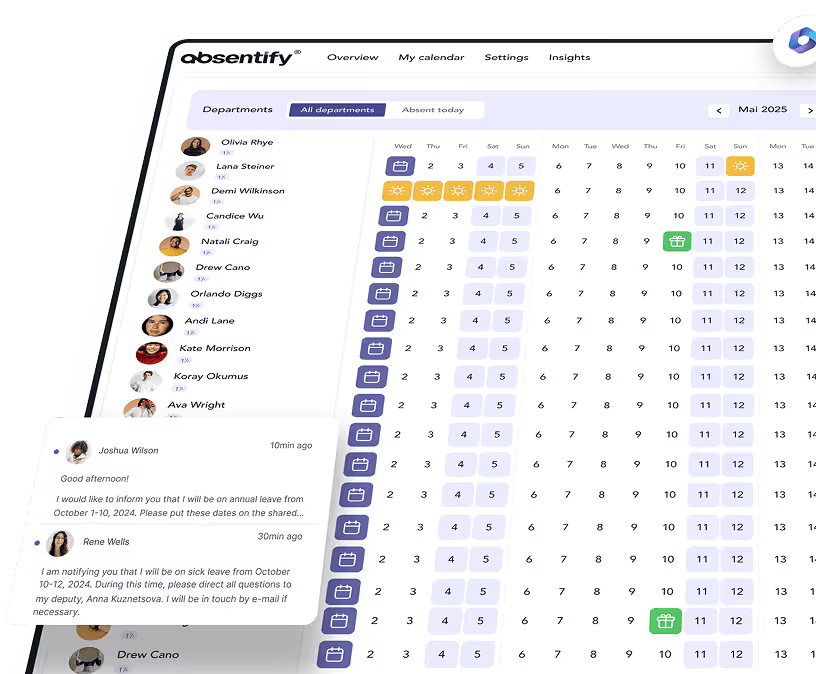
absentify maps the entire request process directly inside Microsoft Teams, so employees never have to open a separate platform. Leave requests come in via the Teams app, the approval workflow starts automatically, and once approved the system writes the absence to the Outlook calendar.
Compared to a self-built Power Automate flow, absentify takes care of tasks that would otherwise be handled manually or not at all:
| Feature | Power Automate (self-built) | absentify |
|---|---|---|
| Approval workflow | ✓ | ✓ |
| Remaining leave reconciliation | ✗ | ✓ |
| Public holiday calendar (250 countries) | ✗ | ✓ |
| Minimum-staffing check | ✗ | ✓ |
| Multi-stage approvals | Complex to build | ✓ |
| Outlook calendar entry | Partial | ✓ automatic |
| GDPR-compliant access rights | Configure manually | ✓ built-in |
| Setup effort | High | Low |
| Maintenance effort | High | Low |
6 Common Mistakes When Automating Leave Requests
Even well-designed automations frequently fail at the same points:
- Public-holiday logic is missing: The system calculates leave days without country-specific holidays, leading to wrong balances.
- Parallel absences aren't checked: Two employees from the same department get leave approved at the same time without any conflict being raised.
- Access rights are too broad: Every employee can see the reason for absence of every colleague, when only the status is relevant.
- No audit trail: Who submitted and approved which request, and when, cannot be reconstructed afterwards. In the event of an employment dispute, the documentation basis is missing.
- Remaining leave is maintained manually: After every approved request, someone adjusts the balance by hand. Errors pile up by the end-of-year cut-off at the latest.
- No data processing agreement: Where leave data is processed by a cloud vendor on behalf of the company, a DPA is required. If it is missing in such a case, that is a data-protection risk and a potential GDPR breach.
Cut Down the Administrative Effort of Leave Requests for Good
An automated leave request process gives HR and managers back the time previously lost to email chains, manual balance calculations and follow-up questions. The choice isn't really between "automate or not"; the real question is how far the process stops half-way or actually runs end to end.
Your benefits with absentify:
- Leave requests, approvals and calendar entries run fully automated, without HR or IT having to step in.
- Multi-stage approval workflows with automatic reminders prevent requests from getting stuck in inboxes.
- The system flags conflicts caused by parallel absences as soon as the request is submitted, before the approver gets involved.
- Deep integration with Teams and Outlook — no platform switching, no duplicated data, no paperwork.
Would you like to simplify your leave request process?
- No credit card required
- Unlimited free access
- Upgrade or cancel anytime
Automating Leave Requests – Frequently Asked Questions
About the author

Anna Keller
Content manager at absentify
As a blog author at absentify, Anna Keller explains how companies can efficiently manage absences, vacations, and working hours. In her articles, she combines HR practice with Microsoft 365 tips for Outlook and Teams and provides templates, step-by-step instructions, and software comparisons for modern, digital processes.
Share article
More interesting articles
Workplace leave policies: what employers need to consider
A leave policy sets out how employees request time off and how the company approves it. Some provisions may form part of the employment contract; collective agreements, works agreements and internal procedures can add further requirements. This article explains the German framework, where the Federal Leave Act (Bundesurlaubsgesetz, or BUrlG) provides the legal baseline. Together, these rules create a consistent process for workplace leave planning.
Anna Keller
Content manager at absentify
How to request annual leave: process, approval and rules
A leave request records the dates an employee would like to take off. It provides the basis for approval and team absence planning. Employers can check the dates against existing absences and operational requirements. Approval gives employees clarity about their holiday. This guide covers annual leave in Great Britain: the Working Time Regulations 1998, relevant agreements and the company's procedures determine the rules.
Anna Keller
Content manager at absentify
Remaining leave: calculation, carryover and German legal rules
How many days of leave are still available, and how long can they be used? A remaining leave balance answers precisely these questions. It shows which days from the current or an earlier leave year are still outstanding. For companies, this figure also matters for future leave planning. In Germany, whether unused days can be carried over or expire later depends primarily on section 7 of the Federal Leave Act (BUrlG) and the employer's duties to cooperate.
Anna Keller
Content manager at absentify