

Tracking sick leave: How to keep an eye on illness-related absences
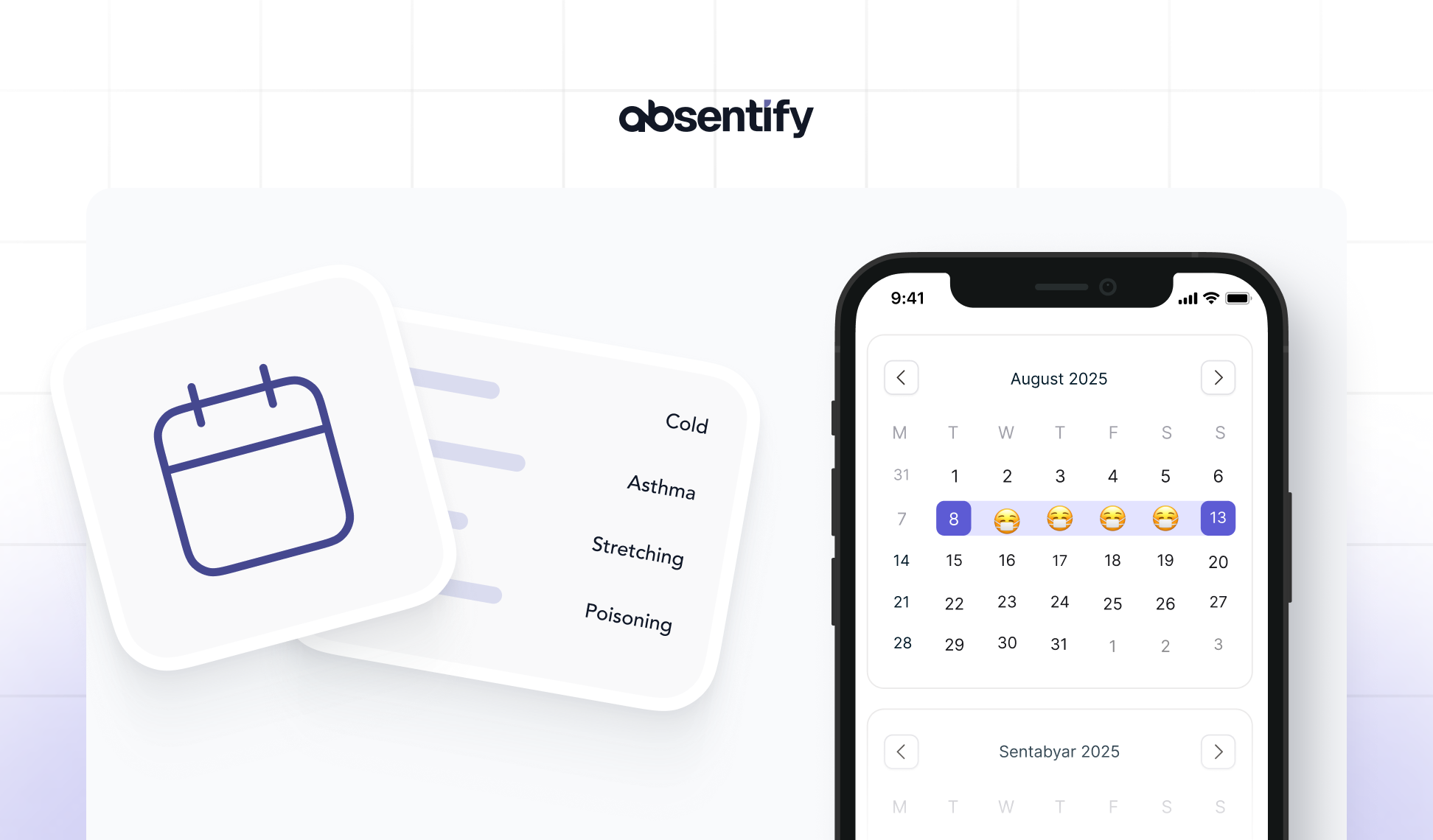
Many record sick leave via email, phone, or with Excel. This works until it becomes cluttered. When information is missing or gets lost, not only does planning suffer. Legally, it can also become problematic.
Anyone who wants to track sick leave needs a system that documents reliably and provides information immediately. Ideally automated, compliant with data protection and transparent for all parties involved.
Tracking sick leave: The essentials in brief
-
Sick leave must be documented in compliance with legal and GDPR requirements, otherwise legal and organizational problems may arise.
-
Excel quickly reaches its limits as the number of employees increases, due to the lack of automation and access control.
-
Uniform processes with clear task allocation reduce errors, ensure clarity, and save time in administration.
-
Absentify simplifies the handling of sick notes and enables evaluations, reminders, and secure archiving.

Why you need to track sick leave and what goes wrong without a system
Those who do not document illness-related absences in a structured way risk faulty processes, unclear responsibilities, and data protection issues. In many companies, there is no uniform method for recording. Sick notes arrive by email, end up somewhere in the inbox, and are then hard to find.
What often goes wrong in practice
-
Although the sick leave is announced, it is not properly recorded.
-
A certificate of incapacity for work is missing or arrives late.
-
Supervisors are unaware of who is present and holiday cover is not planned accordingly.
-
Employees appear on the schedule even though they have called in sick.
These situations lead to unnecessary effort in HR and team management, create confusion among colleagues and make personnel planning prone to errors.
Where it becomes problematic
Wenn du Krankmeldungen nicht verlässlich dokumentierst, entstehen zum einen organisatorische Probleme. Zum anderen geraten rechtliche Themen wie Lohnfortzahlung, Nachweispflichten gegenüber dem Finanzamt oder Aufbewahrungsfristen nach DSGVO in den Fokus.
If a failure is not properly recorded, for example, it may happen that too much salary is continued to be paid or a deadline for sickness benefit payment is missed.
Overview is the basis for planning
Anyone who documents sick leave also creates an overview of:
-
the availability in the team
-
recurring failures or noticeable patterns
-
open sick leave certificates
By keeping a clear track of employee sick leave, it is possible to understand periods of illness, plan cover more effectively, and avoid follow-up questions. Without a lengthy search.
Documenting sick leave in compliance with GDPR – what is permitted and what is not?
Anyone who documents sick leave is processing sensitive health data. This falls under Article 9 of the GDPR and requires clear rules.
It's not enough to just jot down the information somewhere. Those who want to be on the safe side need traceable processes, a legitimate interest, and technically clean implementations.
You are allowed to record this information for sick leave notifications
| Allowed | Not allowed |
|---|---|
| Start and end of the sick leave | Diagnosis or type of illness |
| Date of receipt of the sick note | Details about the treatment or doctor's office |
| Received sick leave certificate (Yes/No) | Health data outside of work capacity |
| Information on whether the sick leave was issued retroactively | Medical assessments or prognoses |
Not permissible: Diagnoses, medical details, or information about the nature of the illness.
Important: Even if employees voluntarily share more, only the bare minimum may be documented.
Observe retention periods
The documentation of sick leave is not subject to any fixed statutory retention period. In practice, the following recommended retention periods for sick notes apply:
-
3 years: Generally sufficient for the proof of continued remuneration.
-
4 Years: Claims for reimbursement against health insurance companies can be made up to four years after the end of the calendar year.
-
6 years: When sick leave becomes relevant for tax purposes (e.g., in payroll accounting or audits).
**However, **according to the GDPR, data may only be stored for as long as it is necessary for the respective purpose. Once there is no longer a legal or organizational reason, they must be deleted or anonymized.
Who is allowed to see the sick leave information?
Not every executive should have access to all information. A clearly regulated access protects both the privacy of employees and the company from violations.
Recommended access control:
-
HR sees all details regarding the management of incapacity for work, including incapacity status and documents.
-
Team leaders see periods of absence and the status of sick leave, but no medical details.
-
Colleagues can see if someone is ill and for how long they are expected to be, but not why.
An appropriate tool automatically sets such access permissions. This keeps the administration** legally compliant and without additional effort**.

Start for free now
No credit card required—enjoy unlimited access with our free plan. You can upgrade or cancel anytime.
Tracking sick leave with Excel, HR software, or specialized tools
Many companies start with Excel. And they often stick with it longer than is advisable. While it's quick to set up a spreadsheet, the maintenance effort increases with each additional employee. Mistakes creep in, the overview is lost, and when someone is on vacation or covering for another, important information is missing.
Managing sick leave in Excel – is that sufficient?
An Excel template for recording sick leave can be an interim solution for small teams. However, there are clear limits:
| Advantage | disadvantage |
|---|---|
| Easy to create | No privacy concept, no access restrictions |
| Freely customizable | No automatic reminders or tracking |
| No additional costs | Prone to errors with manual maintenance |
| Easily divisible | Issues with representation or version conflicts |
At the latest when dealing with multiple departments, changing responsibilities, or extended downtimes, it becomes impractical, to track sick leaves with Excel.
HR Software: often comprehensive, but not always customizable
Many HR systems offer modules for absence management, usually embedded within a larger suite. Those who already use such software can keep track of sick notes there.
It is important that:
-
HR data is managed in compliance with GDPR
-
Roles and access rights are clearly defined
-
the process runs as automated as possible
It becomes problematic when the entire system has to be opened, configured, or even expanded for simple sick notes. Not every software is suitable for everyday use.
Recording sick leave with absentify
If you are looking for a **lean, clearly structured way **to reliably manage sick leave in your company, absentify is a suitable solution. Especially for organizations that work with Microsoft 365.
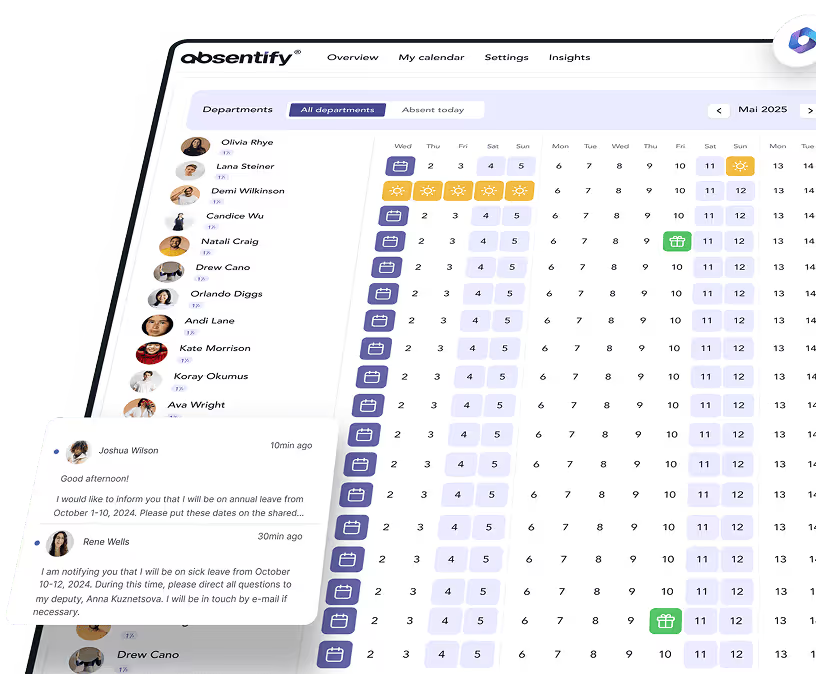
absentify is fully integrated with Microsoft 365 and works seamlessly with Outlook, Teams, and the Microsoft Calendar. Sick leaves can be recorded in just a few seconds, the calendar is automatically updated, and everyone involved stays informed. Without any additional inquiries or searching.
Advantages of absentify at a glance:
-
Direct entry of sick notes in the Outlook calendar
-
Role-based access control (HR, Supervisors, Employees)
-
Clear history of all periods of illness
-
Automatic notifications for new or extended reports
-
Export functions for HR or payroll accounting
**Helpful: **HR departments can see at a glance which sick leave notifications are pending, which certificates of incapacity to work are missing, and how many days of illness have already accumulated. Without recalculating or coordinating via email.
This is how you track sick leave notifications in a legally compliant and clear manner
Regardless of how you use absentify or set up an existing system: it is important to have a clear process, which relieves all parties involved and leaves no gaps. The following steps provide a structured approach to accurately record sick leave.
Step 1: Establish the reporting procedure
Establish a mandatory policy on how employees should report sick. Ideally uniform, e.g., via email to a relevant address or through a form. Telephone reports should be documented to ensure no information is lost.
Tip: absentify allows direct reporting through Microsoft Teams or Outlook. This saves detours.
Step 2: Document sick leave
Capture the following information:
-
Employee's name
-
Start of sick leave
-
Estimated duration (if known)
-
Announced or already received sick leave
-
Initial or follow-up report
These data are sufficient to document the absence in a comprehensible way, without capturing sensitive content.
Step 3: Record sick leave certificate
Note the date on which the sick note was received. Also record whether it seamlessly follows the reported absence. Retrospective sick notes should be marked separately.
Ideally, the sick note is attached as a file in a secure system, not as an email attachment in the inbox.
Step 4: Make availability visible in the calendar
So that supervisors and colleagues know who is absent, the absence status, such as "sick" or generally "absent", should automatically and clearly appear in the calendar.
Step 5: Document days of illness
Record the number of sick days per case and per year. This helps with inquiries, statistics, and possibly continued wage payment.
Step 6: Archive and regulate access
All data should be stored in a tamper-proof manner, but only for as long as necessary. Define clear deletion deadlines and assign access rights. HR and management should have more visibility than team leaders. Employees should be able to view their own data, but not that of others.
Through tools like the Insights feature of absentify, you can identify early on whether there are planning issues and can involve supervisors or HR in a timely manner.
Would you like to simplify your absence management?
- No credit card required
- Unlimited free access
- Upgrade or cancel anytime
Manage sick leave automatically - without stress and follow-up questions
Manual processes quickly reach their limits, especially when many absences are reported and multiple people need access. An automated system helps to avoid errors, saves time, and provides clarity.
Absentify takes over the management of sick leave without additional effort directly in Outlook and Microsoft Teams. Absences can be recorded in just a few seconds, automatically displayed in the calendar and exported if necessary. Reminders for missing sick notes, clear timelines, and well-regulated access rights relieve HR and managers.
The benefits of automated processes:
-
Reminder for missing or incomplete sick notes
-
Automatic notifications for new reports
-
Clear visibility in the calendar – without additional tools
-
Export functions for payroll or proof of obligations
Excel cannot verify inputs, monitor deadlines, or update calendars. Those who rely on reliability need a system that collaborates.
absentify ensures that sick notes are recorded, stored in a traceable manner, and automatically taken into account.
Tracking sick leave – Frequently Asked Questions and Answers
About the author

Anna Keller
Content manager at absentify
As a blog author at absentify, Anna Keller explains how companies can efficiently manage absences, vacations, and working hours. In her articles, she combines HR practice with Microsoft 365 tips for Outlook and Teams and provides templates, step-by-step instructions, and software comparisons for modern, digital processes.
Share article
More interesting articles
Reducing overtime: rights, duties and the process for employers and teams
Reducing overtime means offsetting accumulated extra hours with time off or payment. Under German employment law, the six calendar months or 24 weeks specified in the German Working Time Act apply solely to offsetting an extended working day against the statutory eight-hour average. Employment contracts, works agreements or collective agreements determine how an overtime balance can be reduced. Where these rules permit time off in lieu, the employer determines its timing and process within the scope of their right to give instructions.
Anna Keller
Content manager at absentify
When does unused leave expire? Deadlines and exceptions that determine your entitlement
Under German law, unused leave expires only under certain conditions: entitlement generally lapses on 31 December, or after the carryover period on 31 March, only if your employer has given you timely and specific notice of the impending expiry and you still do not take the leave. An exception applies in cases of continuous illness.
Anna Keller
Content manager at absentify
Employee Self Service (ESS): Definition, Features, and Benefits for Leave and Absence Management
Employee Self Service (ESS) gives employees access to manage their personal data, leave requests, or absences themselves without coordinating every step with HR. The term originally comes from SAP HR modules and has become an umbrella term for self-service features in human resources. Its benefits are particularly clear in leave and absence management.
Anna Keller
Content manager at absentify